> ## Documentation Index
> Fetch the complete documentation index at: https://developers.circle.com/llms.txt
> Use this file to discover all available pages before exploring further.
# Authentication methods
> Choose the right way to authenticate users in your user-controlled wallets app.
Circle supports three ways to authenticate users when creating user-controlled
wallets: social logins, email OTP, and PIN. Each method shapes how users sign
in, how they sign transactions, and how they recover access if they lose
credentials.
This page helps you pick the right method. For implementation steps, follow the
Build a Wallet App tutorial for the method you choose.
## Method comparison
The following table compares each method on the criteria that matter most when
picking:
| Method | Best for | Onboarding | Recovery |
| ----------------- | ------------------------------------------ | ------------------------------------------------------------------------------ | ---------------------------------------------------------------------- |
| **Social logins** | Consumer apps using familiar sign-ins | User signs in with Google, Apple, or Facebook through the provider OAuth flow. | Through the provider. Circle cannot recover lost provider credentials. |
| **Email OTP** | Apps preferring email-based verification | User enters their email. Circle sends a one-time password to verify. | Through email account access. |
| **PIN** | Apps with user-only custody of credentials | User sets a 6-digit PIN and security-question answers during sign-up. | Through security-question answers. Circle cannot recover a lost PIN. |
For key management details, see [Key management](/wallets/key-management). For
how signing UIs work across methods, see
[Confirmation UIs](/sdks/user-controlled/confirmation-uis).
### Social logins
Users sign in with Google, Facebook, or Apple. Circle handles the OAuth flow and
creates a wallet for the authenticated user.
**Use when:** You're building a consumer-facing app and want users to onboard
with accounts they already have. Best for low-friction sign-ups when crypto
familiarity isn't a prerequisite.
**Example use cases:** Consumer apps using Google or Apple sign-in, fintech
sign-ups tied to existing accounts, reward wallets attached to social
identities.
**Tradeoffs:**
* Circle cannot recover lost provider credentials or unblock accounts. Users
must go through the provider directly. For example, recovering a banned
Facebook account can take weeks.
* Each social account links to one unique user ID. Signing up with multiple
providers (for example, Google then Apple) creates separate user IDs.
To offer a provider beyond Google, Apple, or Facebook, request it through
[Circle on Discord](https://discord.com/invite/buildoncircle).

 The following diagram shows the OAuth 2.0 sequence when a user signs in:
```mermaid theme={null}
sequenceDiagram
participant U as User
participant App as Your app
participant SDK as Circle Web SDK
participant Provider as OAuth provider
participant Circle as Circle backend
U->>App: Tap "Sign in with [provider]"
App->>Circle: POST /users/social/token (deviceId)
Circle-->>App: deviceToken, deviceEncryptionKey
App->>SDK: performLogin(deviceToken, deviceEncryptionKey)
SDK->>Provider: Redirect for OAuth consent
Note over U,Provider: User signs in and grants consent
Provider-->>SDK: Authorization code (via redirect)
SDK->>Circle: Exchange code for tokens
Circle-->>SDK: userID, userToken, encryptionKey, refreshToken
SDK-->>App: Tokens returned
```
Full walkthrough:
[Build a Wallet App with social login](/wallets/user-controlled/build-a-wallet-app#social-login).
### Email OTP
Users sign up with their email. Circle sends a one-time password (OTP) and
creates a wallet after verification.
**Use when:** You want a familiar email-based onboarding flow without a
third-party authentication provider. Works well when users may not have social
provider accounts or in regions where social login adoption is low.
**Example use cases:** Apps with existing email-based user accounts, B2B-style
flows, enterprise integrations.
**Tradeoffs:**
* Users need access to their email account to recover their wallet. Email
account compromise means wallet compromise.
* Requires SMTP configuration through your own provider. Circle does not send
the email.
The following diagram shows the OAuth 2.0 sequence when a user signs in:
```mermaid theme={null}
sequenceDiagram
participant U as User
participant App as Your app
participant SDK as Circle Web SDK
participant Provider as OAuth provider
participant Circle as Circle backend
U->>App: Tap "Sign in with [provider]"
App->>Circle: POST /users/social/token (deviceId)
Circle-->>App: deviceToken, deviceEncryptionKey
App->>SDK: performLogin(deviceToken, deviceEncryptionKey)
SDK->>Provider: Redirect for OAuth consent
Note over U,Provider: User signs in and grants consent
Provider-->>SDK: Authorization code (via redirect)
SDK->>Circle: Exchange code for tokens
Circle-->>SDK: userID, userToken, encryptionKey, refreshToken
SDK-->>App: Tokens returned
```
Full walkthrough:
[Build a Wallet App with social login](/wallets/user-controlled/build-a-wallet-app#social-login).
### Email OTP
Users sign up with their email. Circle sends a one-time password (OTP) and
creates a wallet after verification.
**Use when:** You want a familiar email-based onboarding flow without a
third-party authentication provider. Works well when users may not have social
provider accounts or in regions where social login adoption is low.
**Example use cases:** Apps with existing email-based user accounts, B2B-style
flows, enterprise integrations.
**Tradeoffs:**
* Users need access to their email account to recover their wallet. Email
account compromise means wallet compromise.
* Requires SMTP configuration through your own provider. Circle does not send
the email.
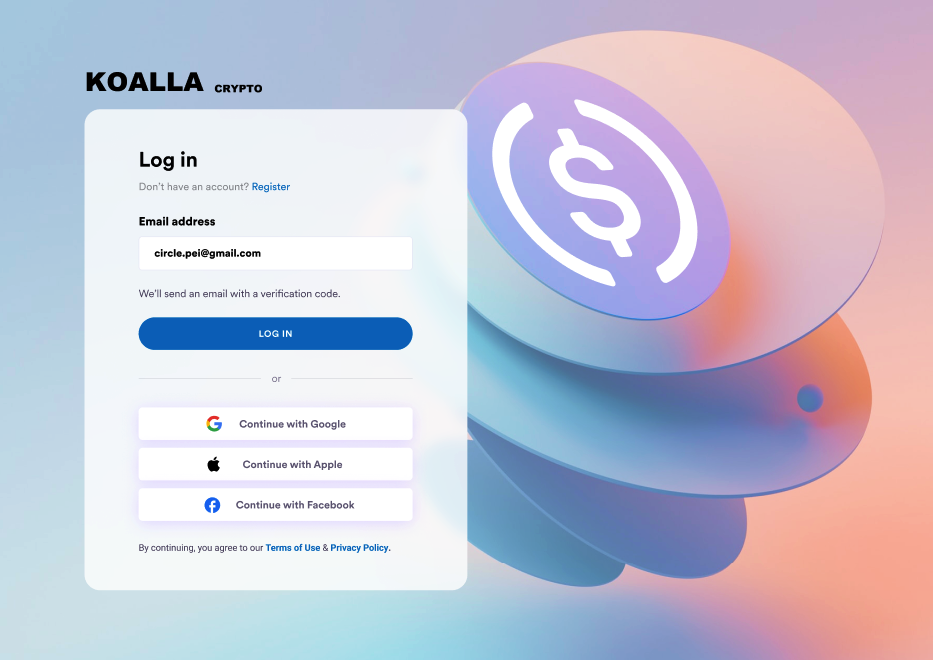
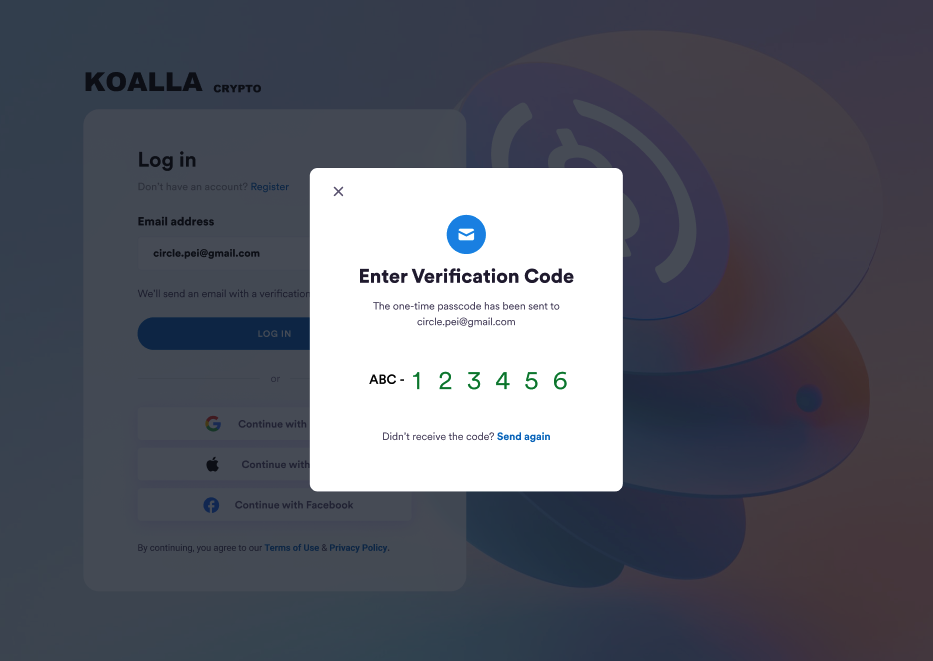
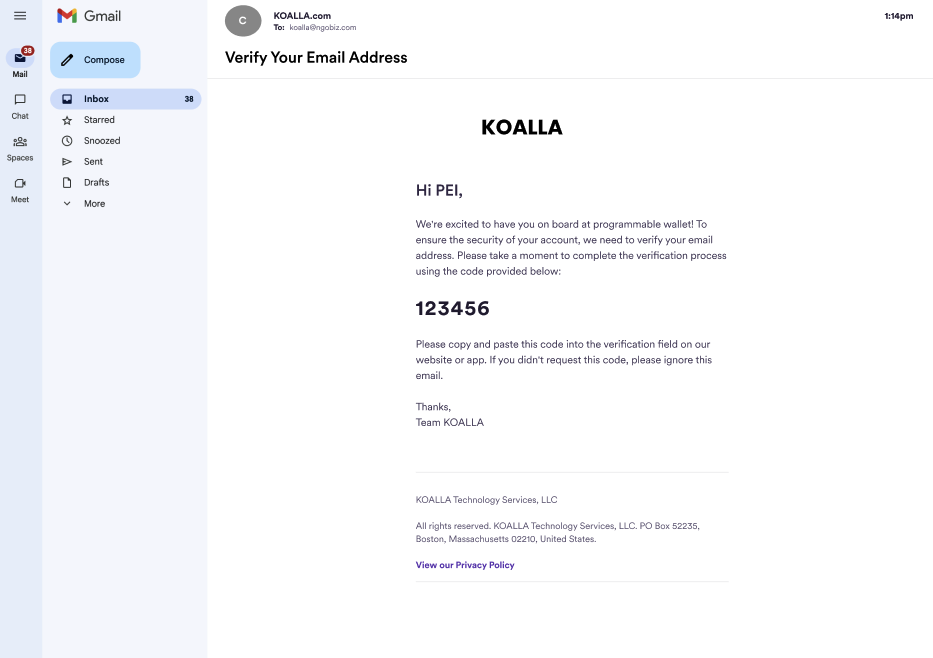 The following diagram shows the email OTP sequence when a user signs in:
```mermaid theme={null}
sequenceDiagram
participant U as User
participant App as Your app
participant SDK as Circle Web SDK
participant SMTP as Your SMTP server
participant Circle as Circle backend
U->>App: Enter email address
App->>Circle: POST /users/email/token (deviceId)
Circle-->>App: otpToken, deviceToken, deviceEncryptionKey
Circle->>SMTP: Send OTP email
SMTP->>U: Deliver OTP to user's inbox
U->>App: Enter OTP
App->>SDK: verifyOTP(otp, deviceToken, deviceEncryptionKey)
SDK->>Circle: Validate OTP
Circle-->>SDK: userID, userToken, encryptionKey, refreshToken
SDK-->>App: Tokens returned
```
Full walkthrough:
[Build a Wallet App with email OTP](/wallets/user-controlled/build-a-wallet-app#email-otp).
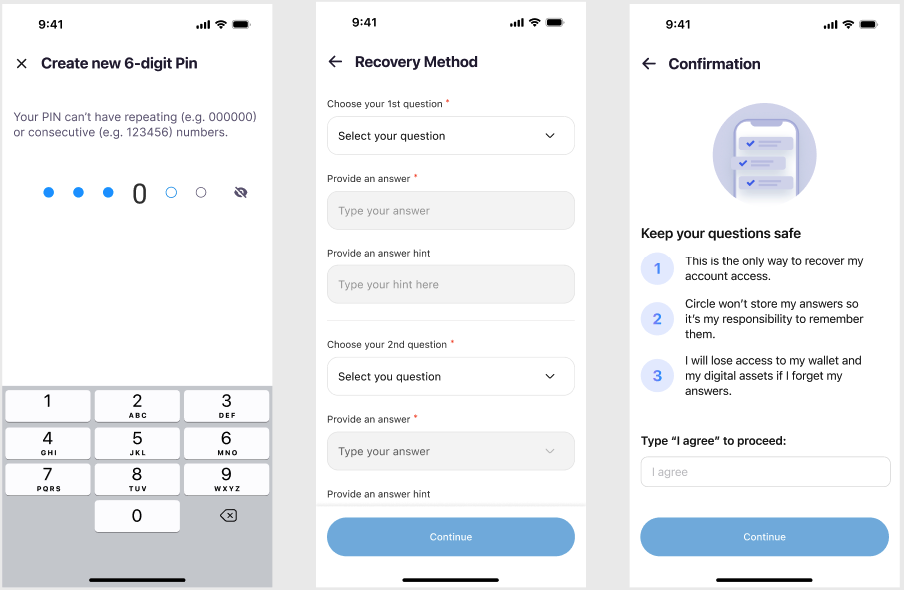
### PIN
Users set a 6-digit PIN to authorize transactions. Optional biometrics let users
sign with fingerprint or facial recognition on supported devices.
Security-question answers, also set during sign-up, are the recovery path if the
user forgets their PIN.
The PIN is encrypted on the user's device. After three incorrect PIN attempts,
PIN entry locks for 30 minutes. After three incorrect security-question answers
during recovery, recovery locks for 30 minutes.
**Use when:** You want user-side custody. Only the user holds the PIN, and
Circle has no way to recover it. Best for crypto-native users comfortable
managing their own credentials.
**Example use cases:** Self-custody-focused consumer apps, crypto-native
communities, apps emphasizing user sovereignty.
**Tradeoffs:**
* Lost PIN combined with forgotten security answers means permanent loss of
access. Users are responsible for remembering both.
* Higher friction than social logins or email OTP at sign-up.
* No third-party dependencies, no provider account to lose.
The following diagram shows the email OTP sequence when a user signs in:
```mermaid theme={null}
sequenceDiagram
participant U as User
participant App as Your app
participant SDK as Circle Web SDK
participant SMTP as Your SMTP server
participant Circle as Circle backend
U->>App: Enter email address
App->>Circle: POST /users/email/token (deviceId)
Circle-->>App: otpToken, deviceToken, deviceEncryptionKey
Circle->>SMTP: Send OTP email
SMTP->>U: Deliver OTP to user's inbox
U->>App: Enter OTP
App->>SDK: verifyOTP(otp, deviceToken, deviceEncryptionKey)
SDK->>Circle: Validate OTP
Circle-->>SDK: userID, userToken, encryptionKey, refreshToken
SDK-->>App: Tokens returned
```
Full walkthrough:
[Build a Wallet App with email OTP](/wallets/user-controlled/build-a-wallet-app#email-otp).
### PIN
Users set a 6-digit PIN to authorize transactions. Optional biometrics let users
sign with fingerprint or facial recognition on supported devices.
Security-question answers, also set during sign-up, are the recovery path if the
user forgets their PIN.
The PIN is encrypted on the user's device. After three incorrect PIN attempts,
PIN entry locks for 30 minutes. After three incorrect security-question answers
during recovery, recovery locks for 30 minutes.
**Use when:** You want user-side custody. Only the user holds the PIN, and
Circle has no way to recover it. Best for crypto-native users comfortable
managing their own credentials.
**Example use cases:** Self-custody-focused consumer apps, crypto-native
communities, apps emphasizing user sovereignty.
**Tradeoffs:**
* Lost PIN combined with forgotten security answers means permanent loss of
access. Users are responsible for remembering both.
* Higher friction than social logins or email OTP at sign-up.
* No third-party dependencies, no provider account to lose.
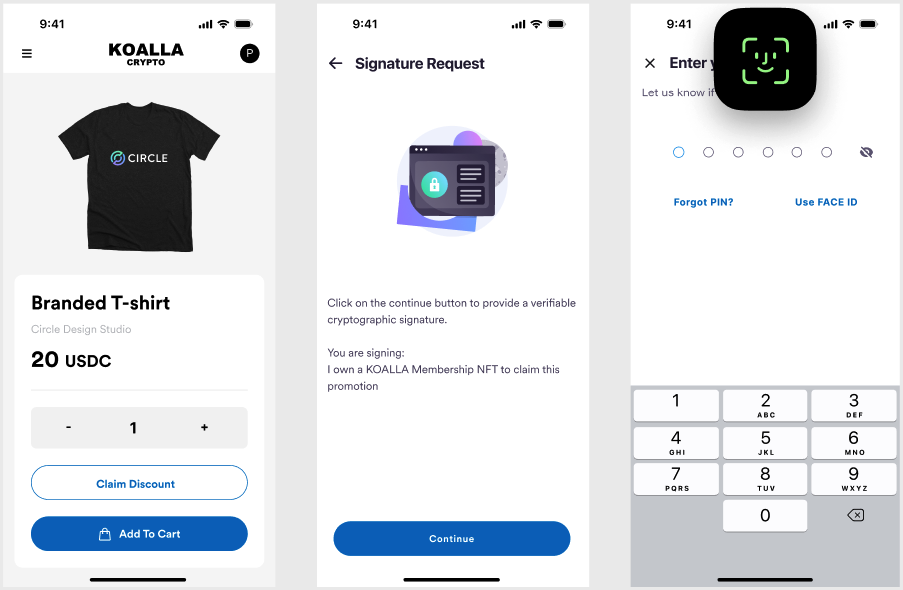
 Full walkthrough:
[Build a Wallet App with PIN](/wallets/user-controlled/build-a-wallet-app#pin).
To restore access after a lost PIN:
[Recover an account](/wallets/user-controlled/recover-account).
## Session lifecycle
After a user authenticates with social logins or email OTP, Circle returns a
`userToken` and a `refreshToken`. PIN users don't receive session tokens. Their
PIN authorizes each action directly.
* The `userToken` is the session identifier. It expires 14 days after
generation, after which users are logged out.
* The `refreshToken` extends the session. Before the `userToken` expires, send a
`POST` request to
[`/users/token/refresh`](/api-reference/wallets/user-controlled-wallets/refresh-user-token)
with the existing user token and its refresh token. The response returns a new
user token.
If a `userToken` expires before being refreshed, the user is logged out and must
authenticate again to receive new tokens.
Full walkthrough:
[Build a Wallet App with PIN](/wallets/user-controlled/build-a-wallet-app#pin).
To restore access after a lost PIN:
[Recover an account](/wallets/user-controlled/recover-account).
## Session lifecycle
After a user authenticates with social logins or email OTP, Circle returns a
`userToken` and a `refreshToken`. PIN users don't receive session tokens. Their
PIN authorizes each action directly.
* The `userToken` is the session identifier. It expires 14 days after
generation, after which users are logged out.
* The `refreshToken` extends the session. Before the `userToken` expires, send a
`POST` request to
[`/users/token/refresh`](/api-reference/wallets/user-controlled-wallets/refresh-user-token)
with the existing user token and its refresh token. The response returns a new
user token.
If a `userToken` expires before being refreshed, the user is logged out and must
authenticate again to receive new tokens.