Circle’s Postman collection provides template requests to help you learn about the Programmable Wallets APIs. These requests run on Postman, an API platform for learning, building, and using APIs. The Postman Wallets workspace includes a collection that matches the organization of the API reference.Documentation Index
Fetch the complete documentation index at: https://developers.circle.com/llms.txt
Use this file to discover all available pages before exploring further.
Run in Postman
To use the Postman collection, select Run in Postman below. You can fork the collection to your workspace, view the collection in the public workspace, or import the collection into Postman.- Fork: Creates a copy of the collection while maintaining a link to the parent.
- View: Allows you to try out the API without importing anything into your Postman suite.
- Import: Creates a copy of the collection but does not maintain a link to Circle’s copy.
| Collection | Link |
|---|---|
| Wallets |  |
Authorization
Paste your API key in the Authorization tab of the collection. To store your API key as a variable for more advanced testing, see Postman’s using variables guide.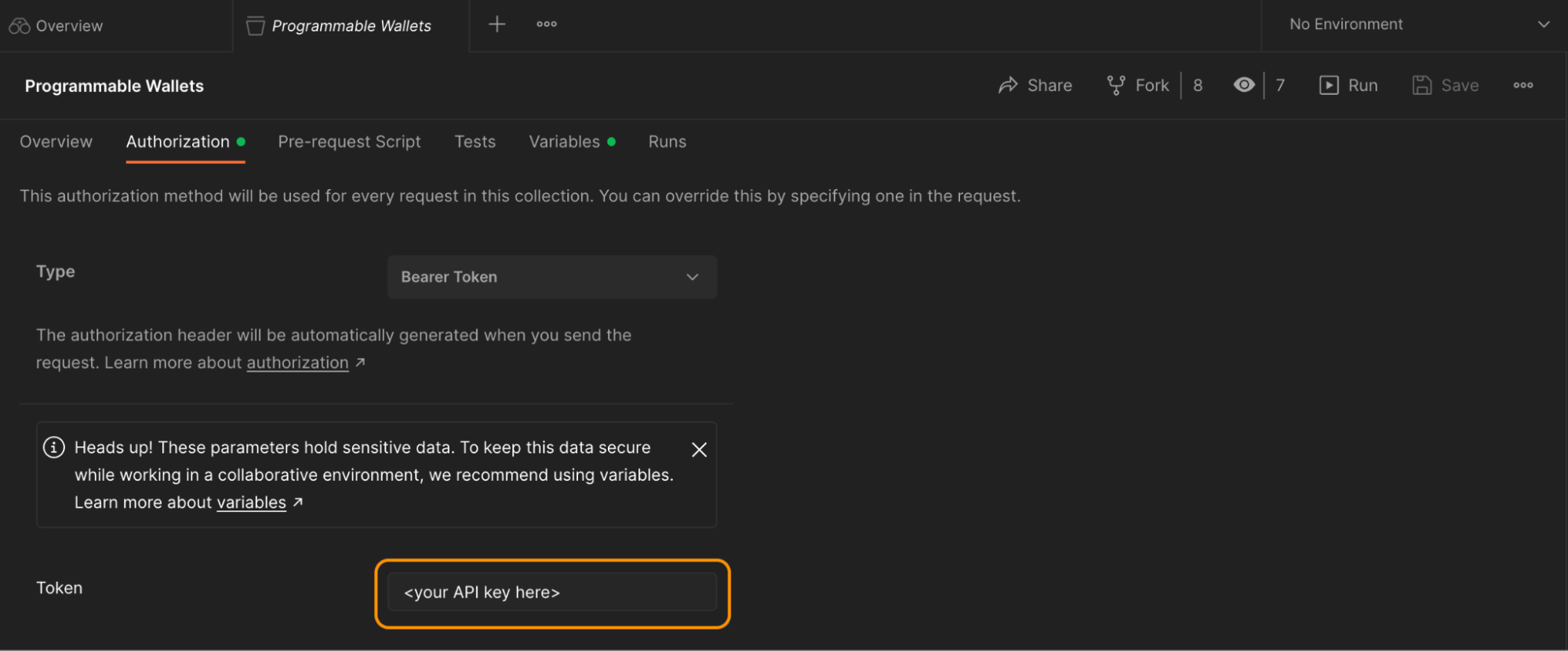
Entity secret
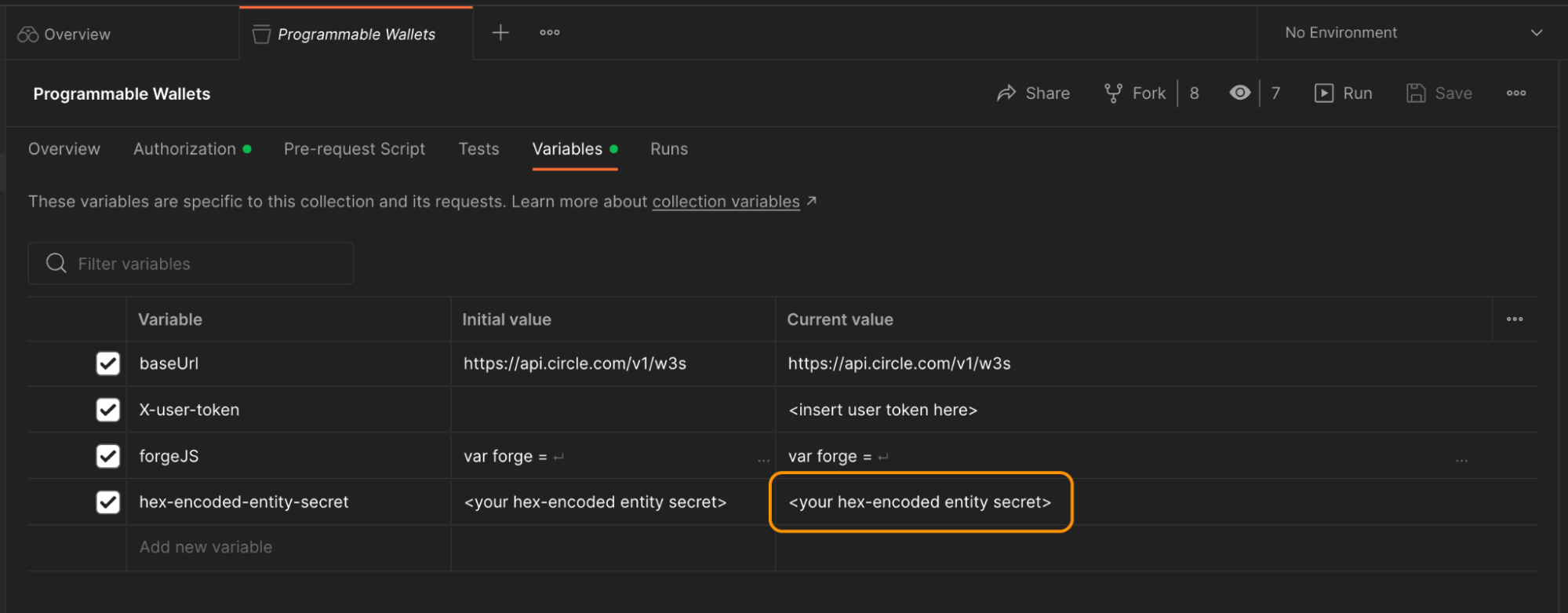
If you use developer-controlled wallets, you need to generate a unique 32-byte entity secret. See the Register your entity secret quickstart for details. After you register your entity secret in the Circle Console, add your hex-encoded entity secret (not the encrypted entity secret ciphertext) as the variable value shown in the following image.