

Text, Color, and Font Customization
For text-related customization, there are two types of customization, dynamic and static:- For dynamic customization, update the source code’s desired string, color, and font (as typeface).
- For Static customization, add or update the strings.xml file located at
src/main/res/values/strings.xml. To avoid the static customization being overwritten by the dynamic customization, use the null value for the text argument when initializing with theTextConfig()constructor, for example:
Resource.TextsKey name in the Index Table for
more detail of customization support and usage for each text string.
Note:Some strings do not support static or dynamic customization for text, color,
font and gradientColors using the
TextConfig() constructor.The detail of supporting scope can be found in the index table and the note
column. If the app still customizes those unsupported values, it will give a
WARN level log printed to logcat, filtered with CustomizeChecker for log
abstraction.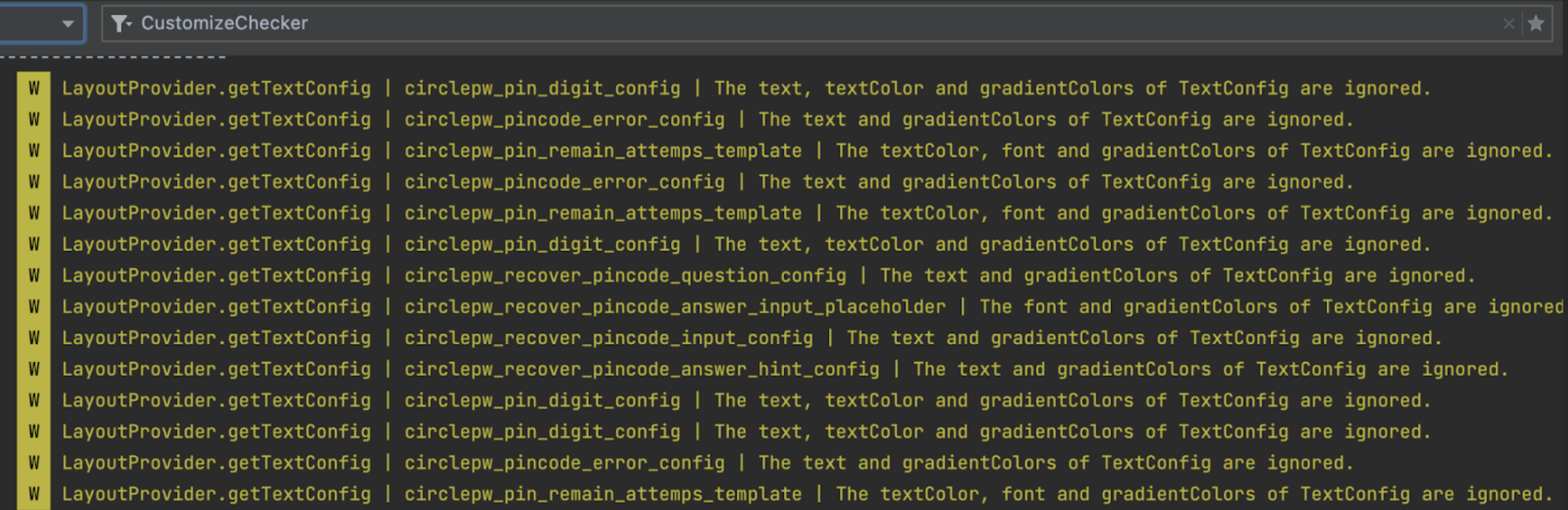
TextConfig() constructor is as follows:
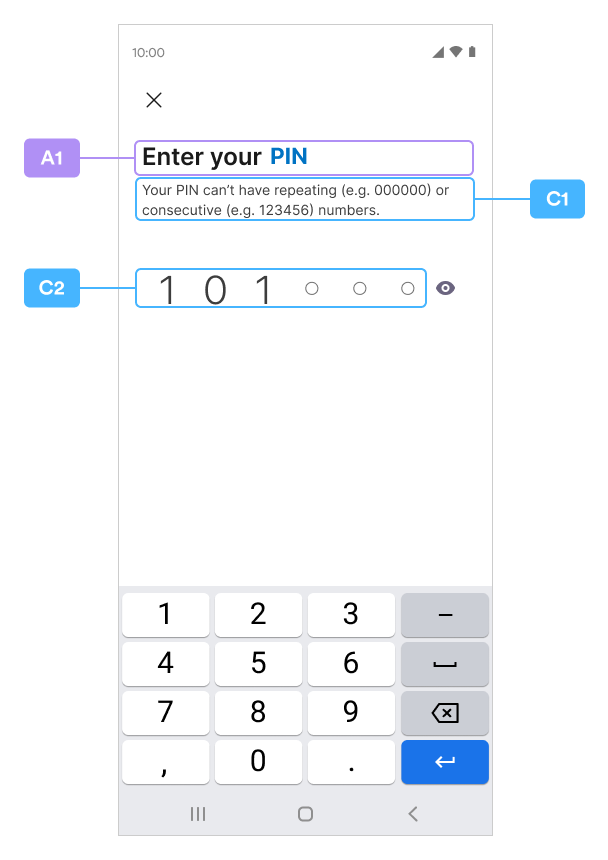
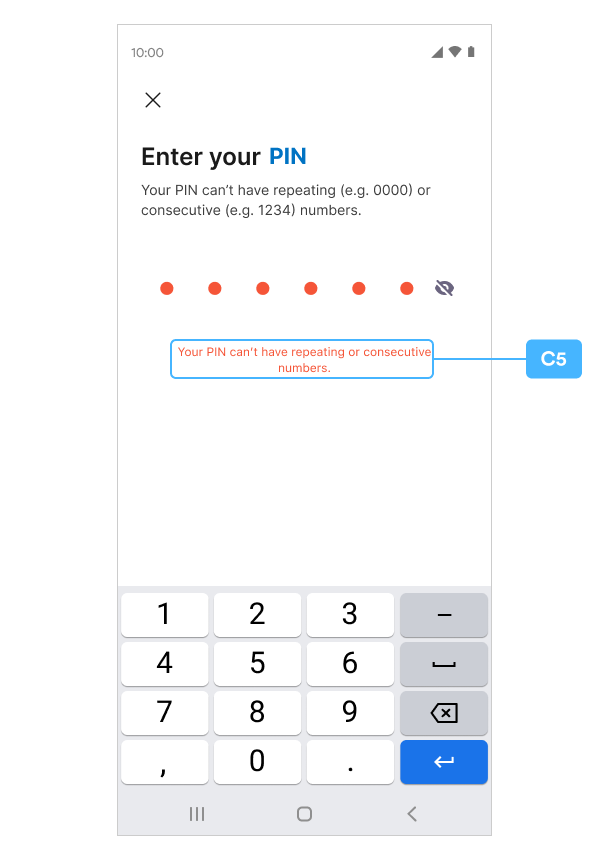
New PIN Code
A1 / C1~C5
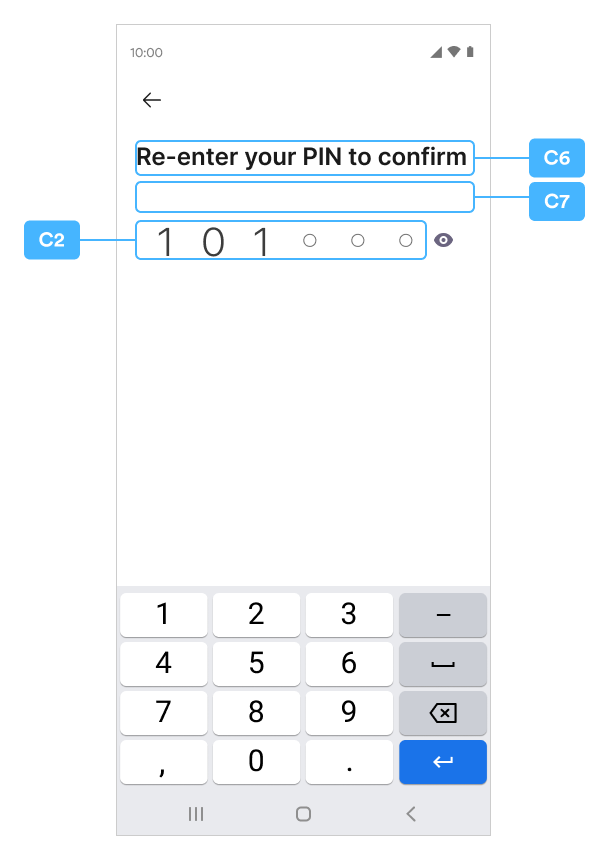
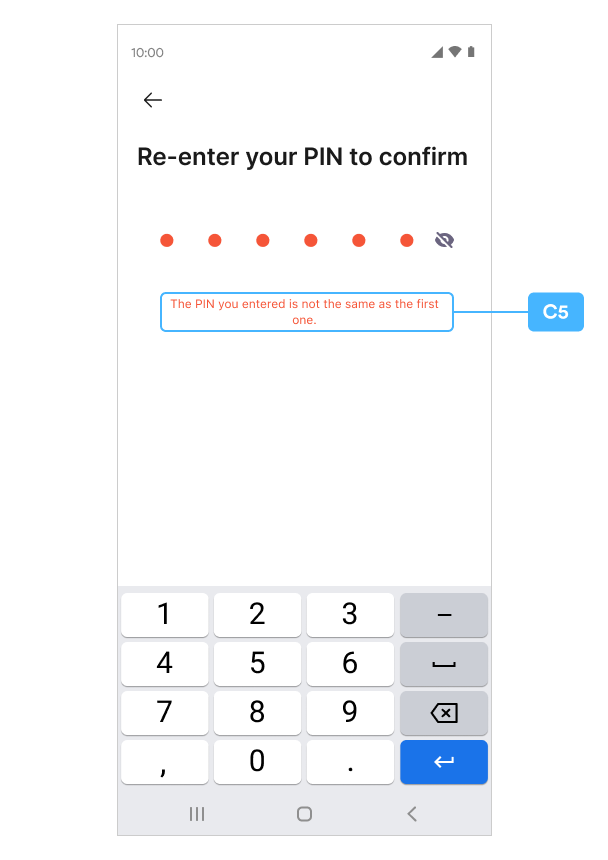
Confirm PIN Code
C6~C7
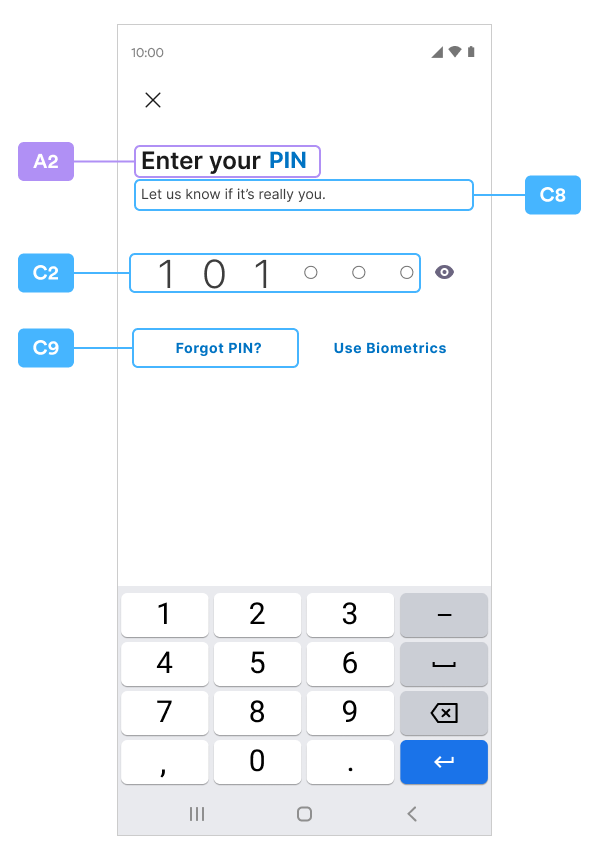
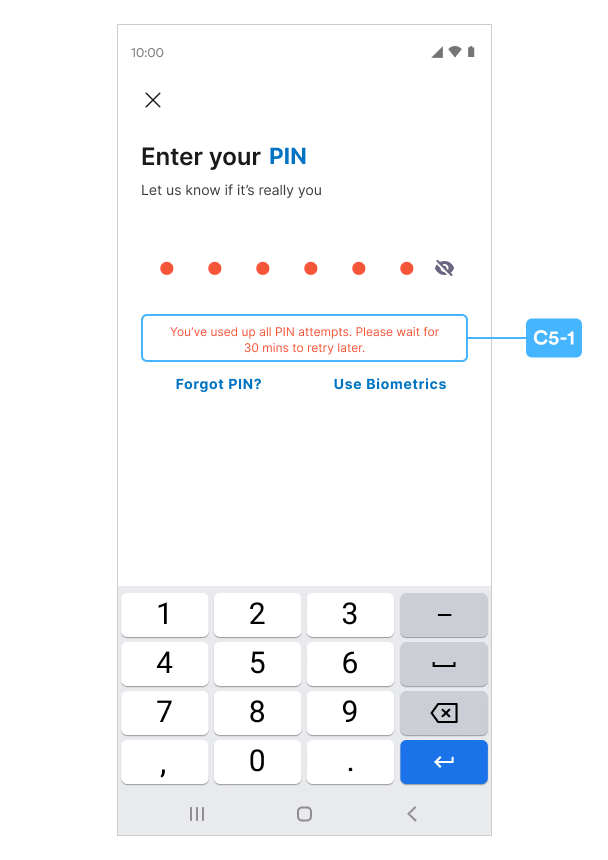
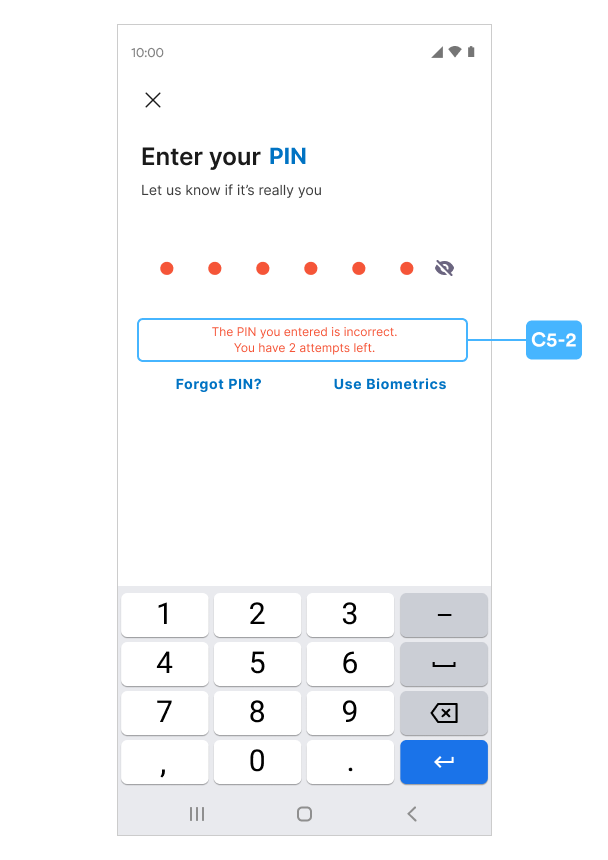
Enter PIN Code
A2 / C8~C9, C5-1, C5-2
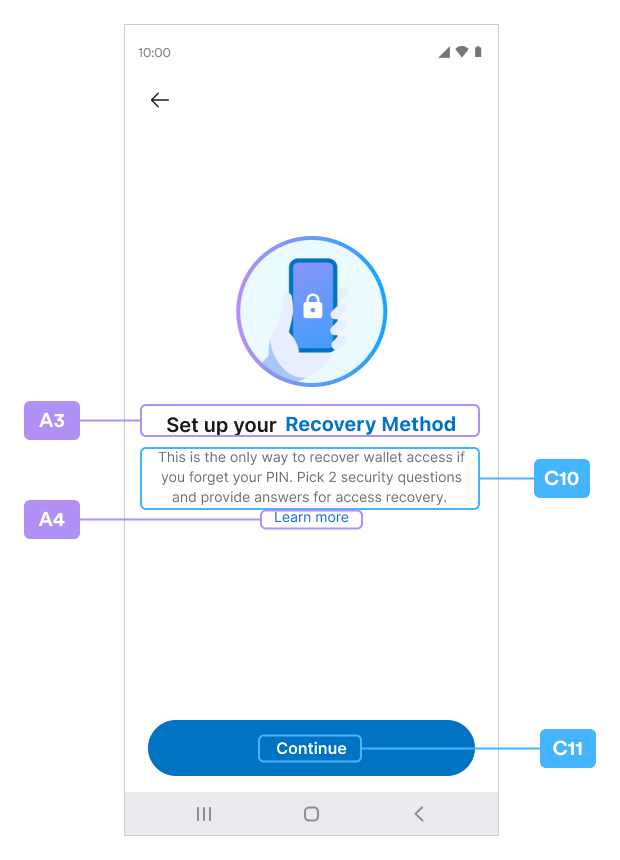
Security Intros
A3A4 / C10C11
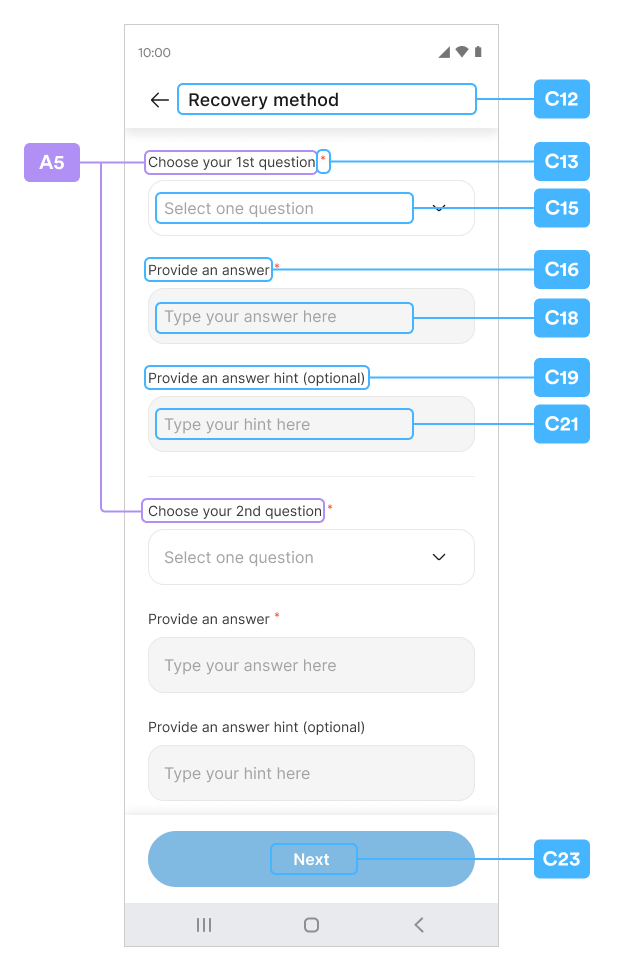
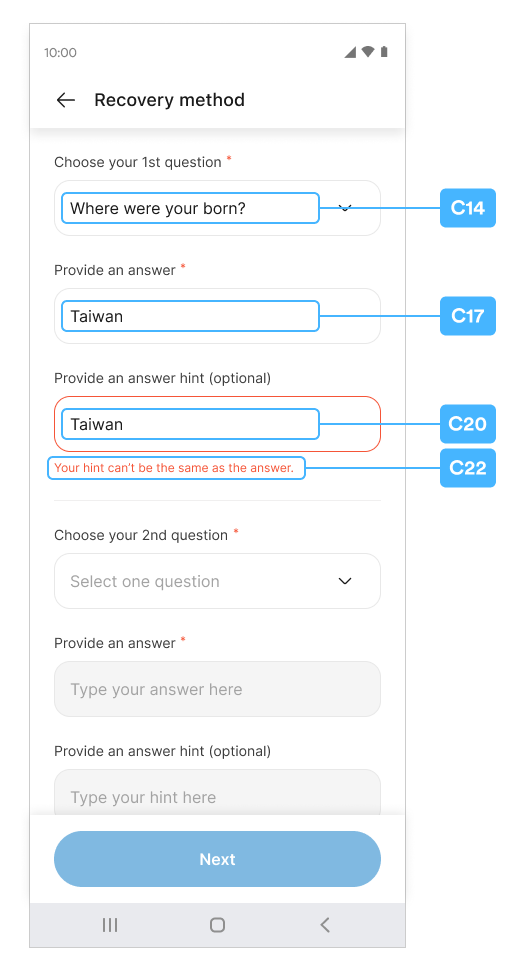
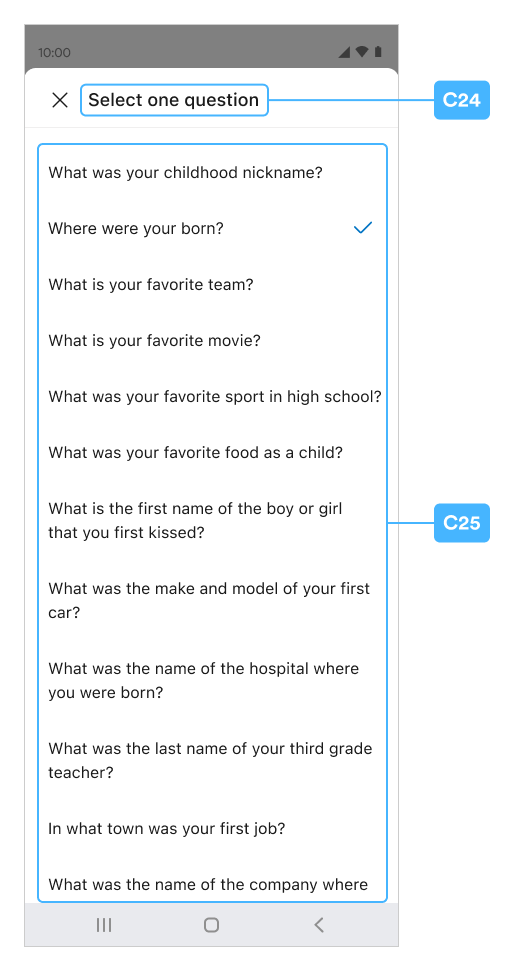
Security Questions Customization
Please reference the Security Question section in the SDK for how to customize the question by usingsetSecurityQuestions method.
A5 / C12~C25
Security Summary
A6 / C26~C32
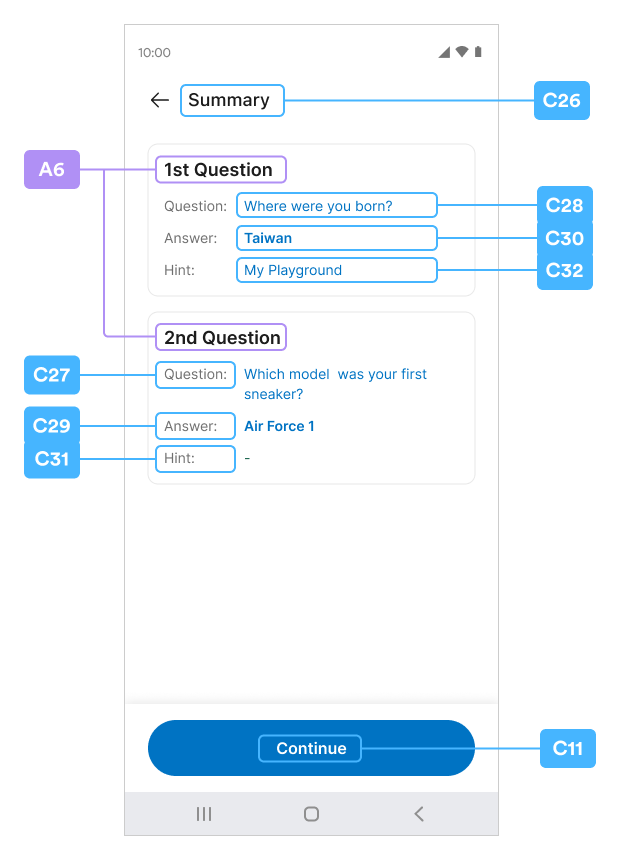
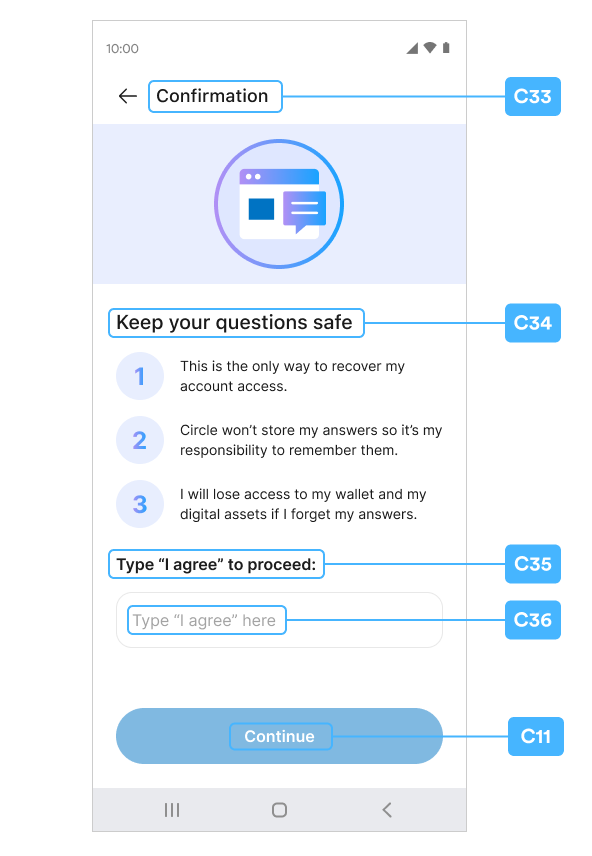
Security Confirm
C33~C37 / B1
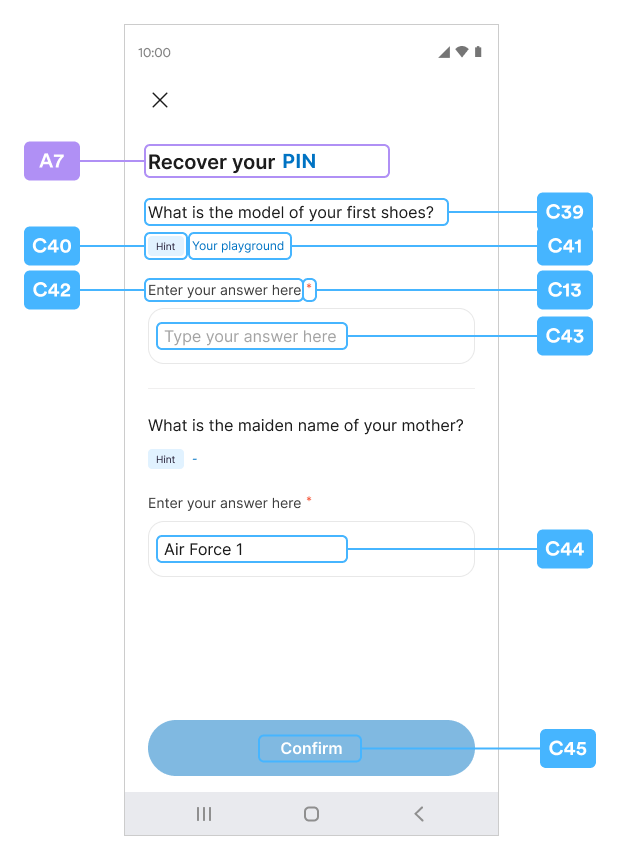
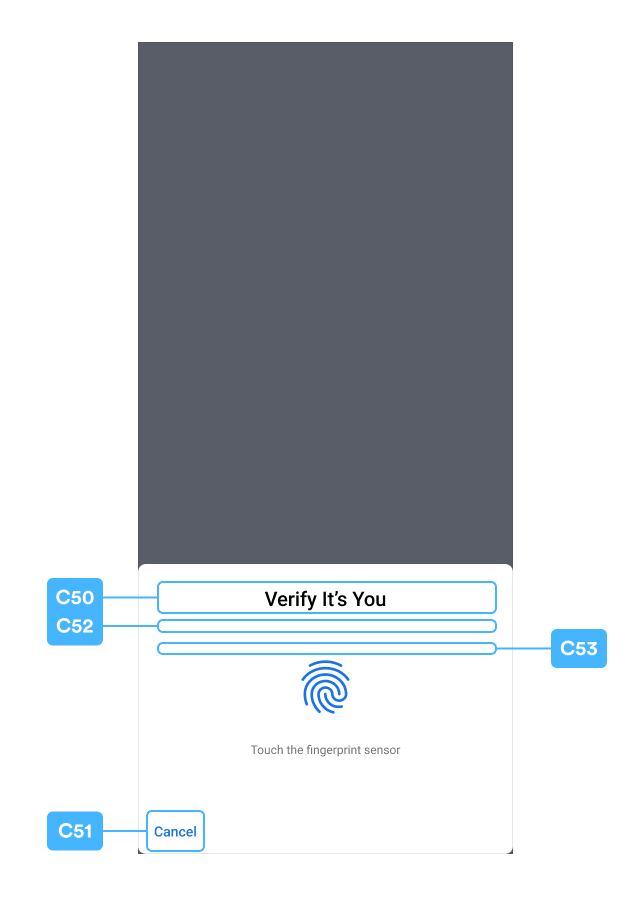
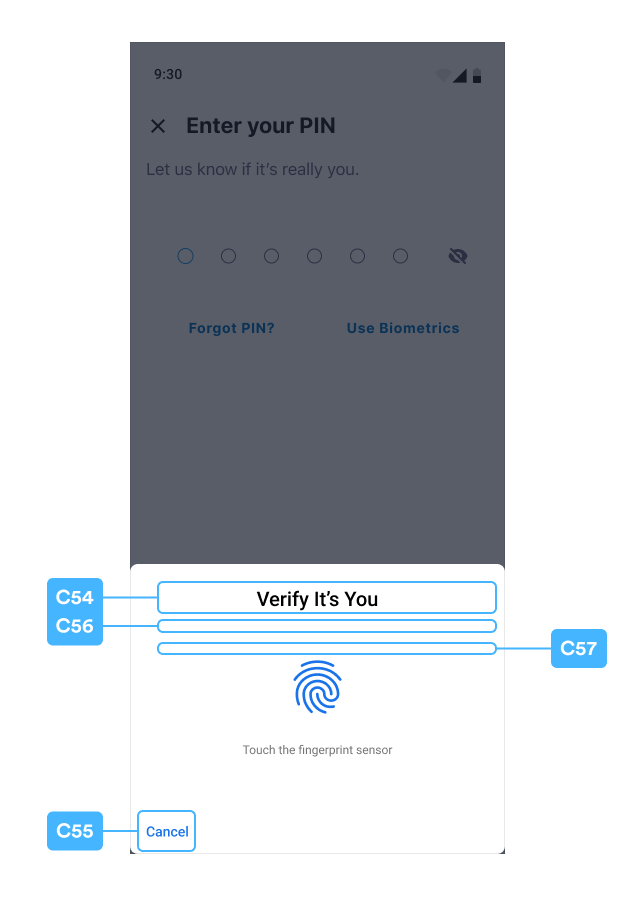
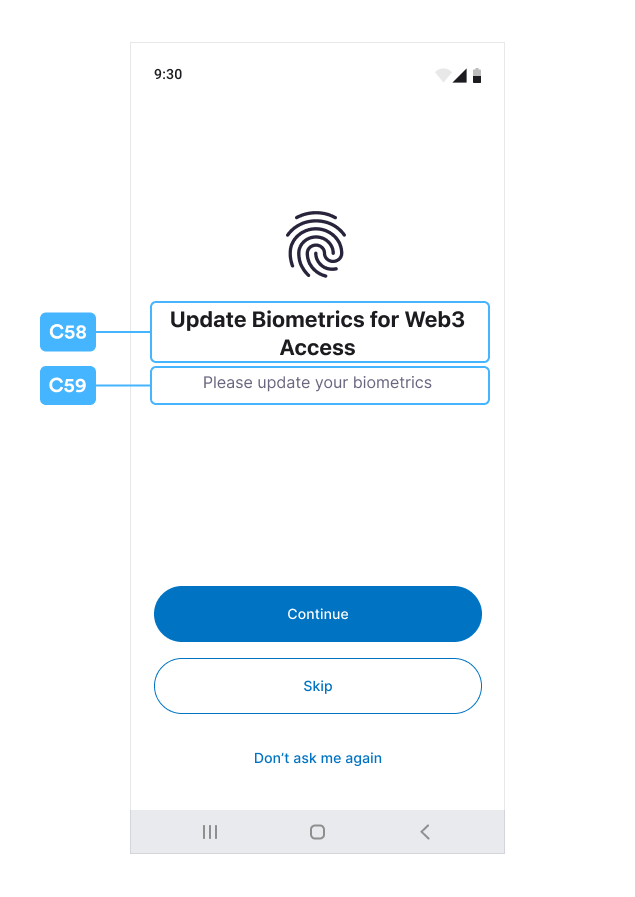
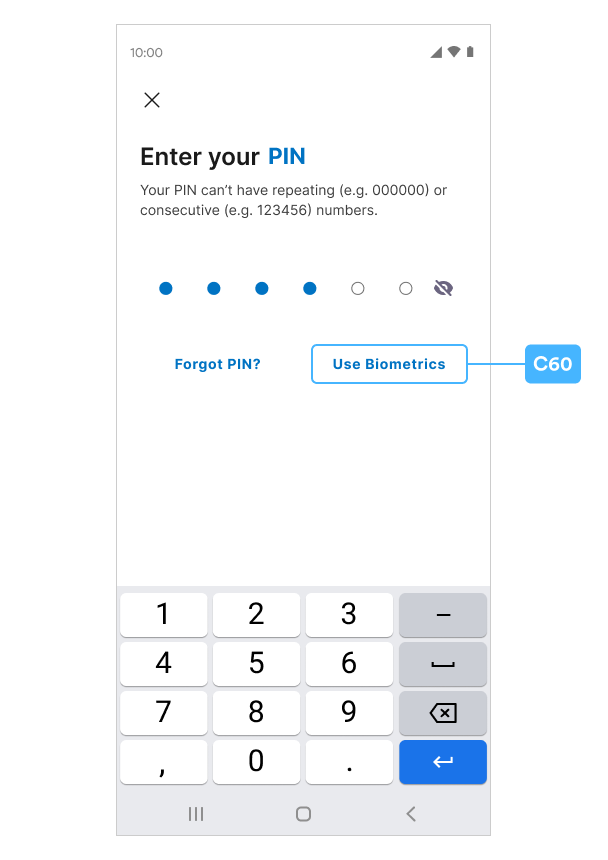
Recover PIN Code
A7 / C39~C60
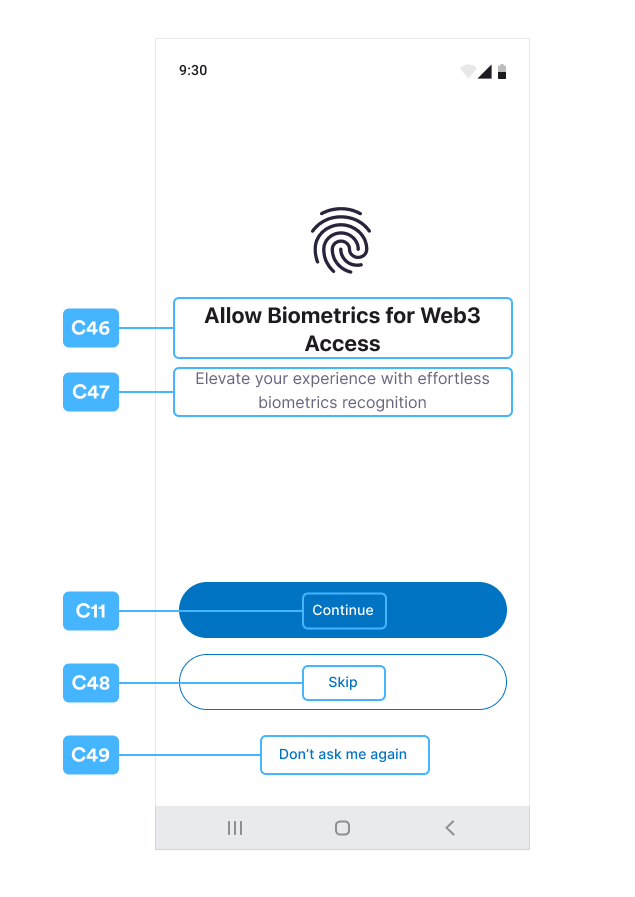
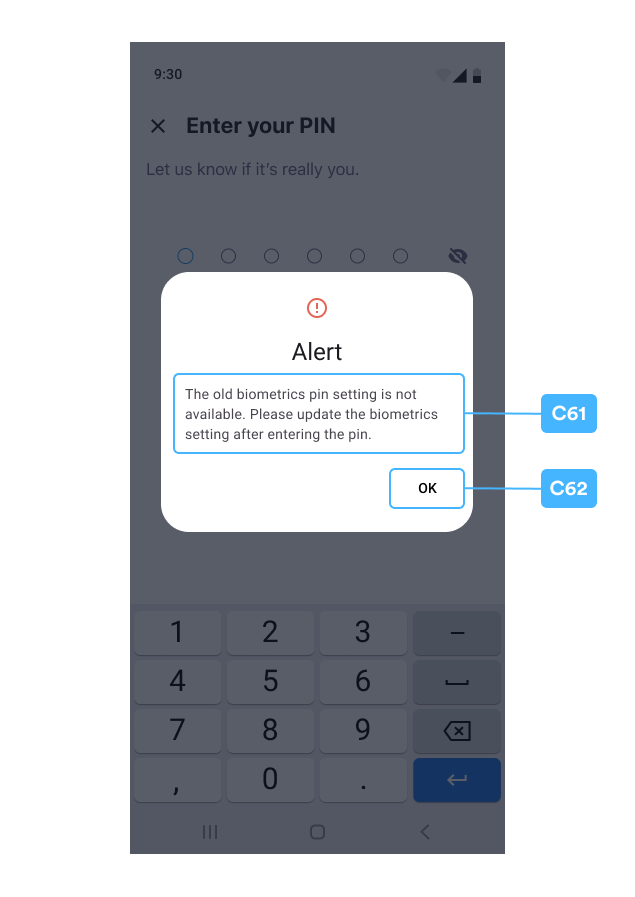
Alert Pop Window
C61~C62
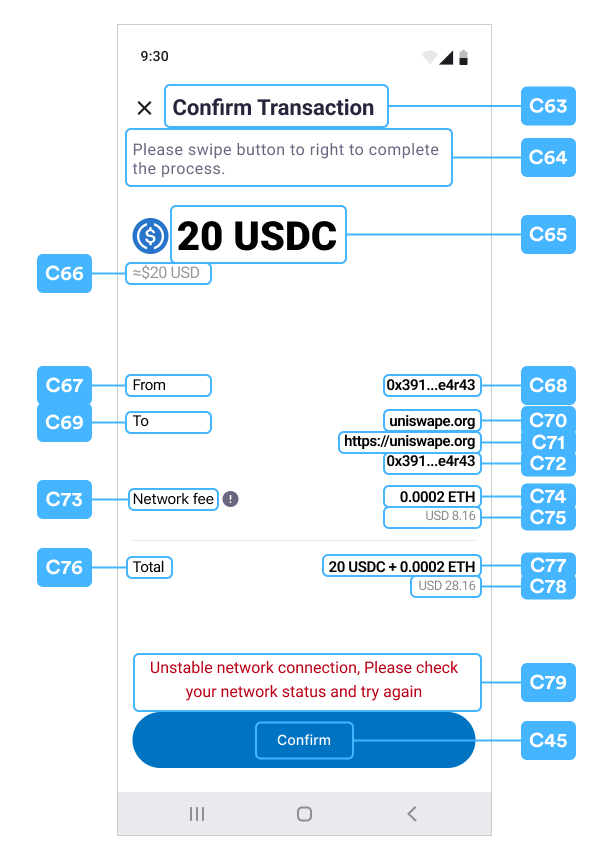
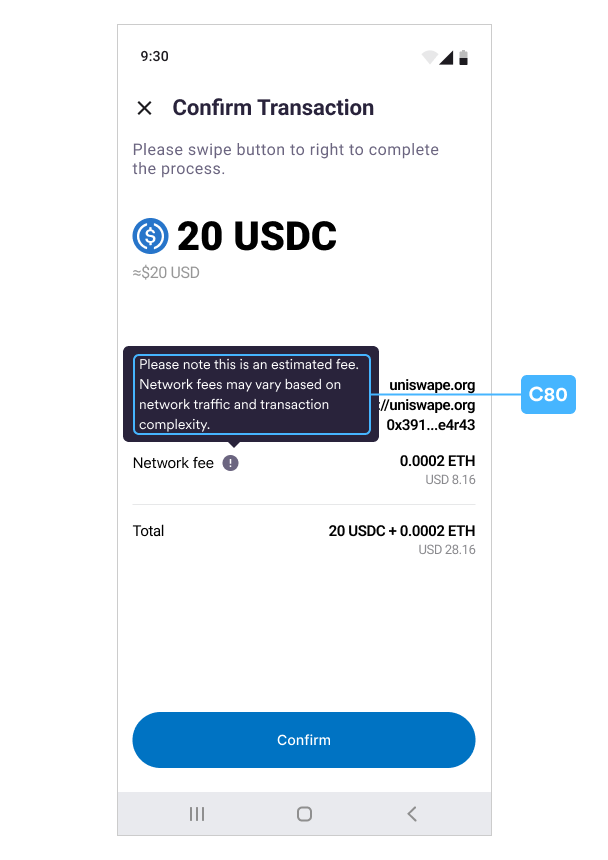
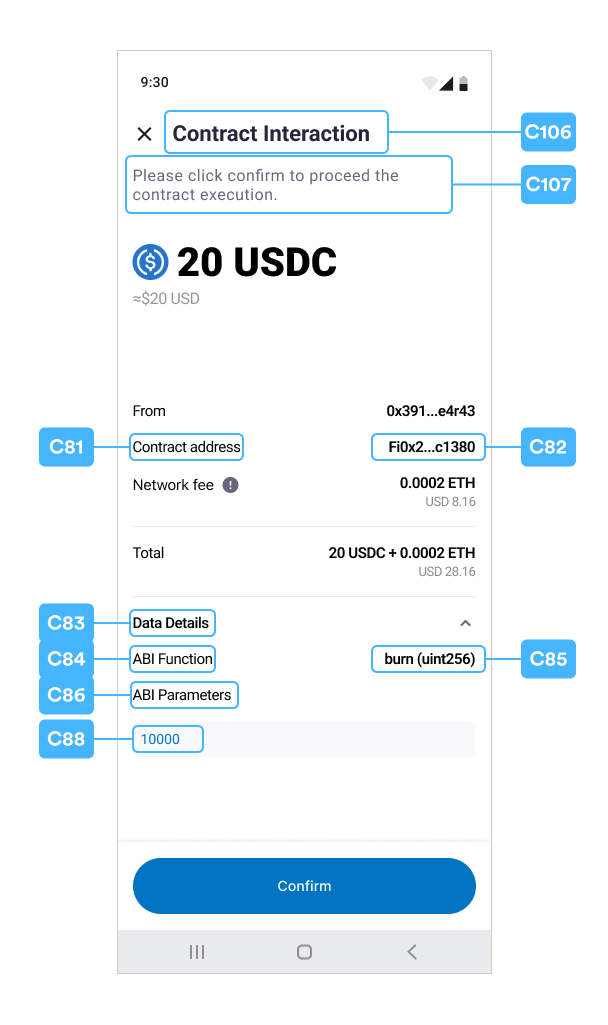
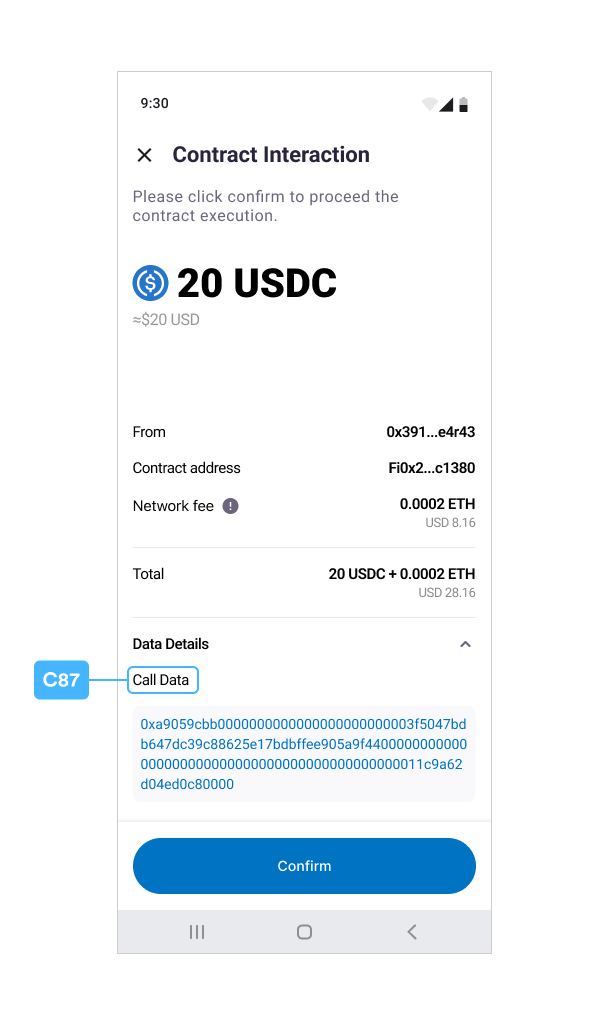
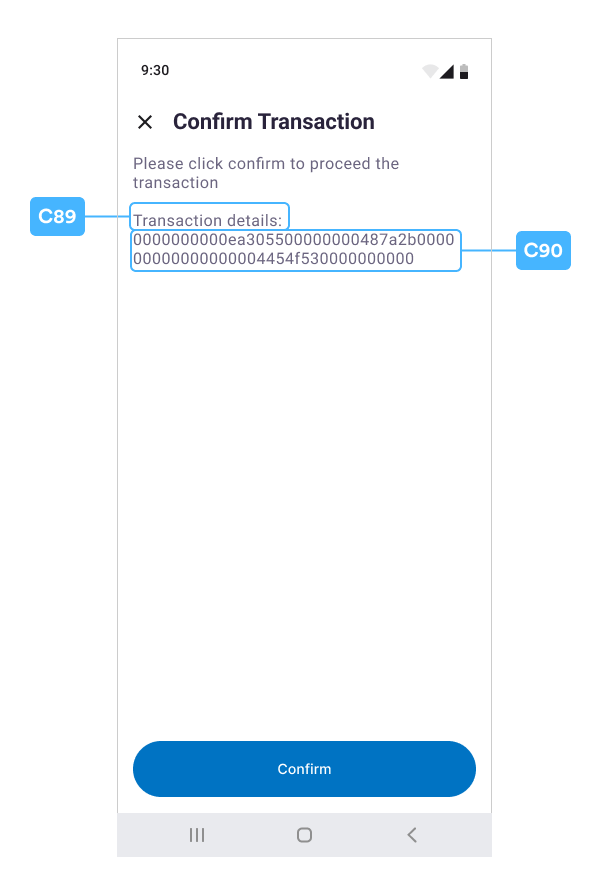
Confirm Transaction
C63~C90
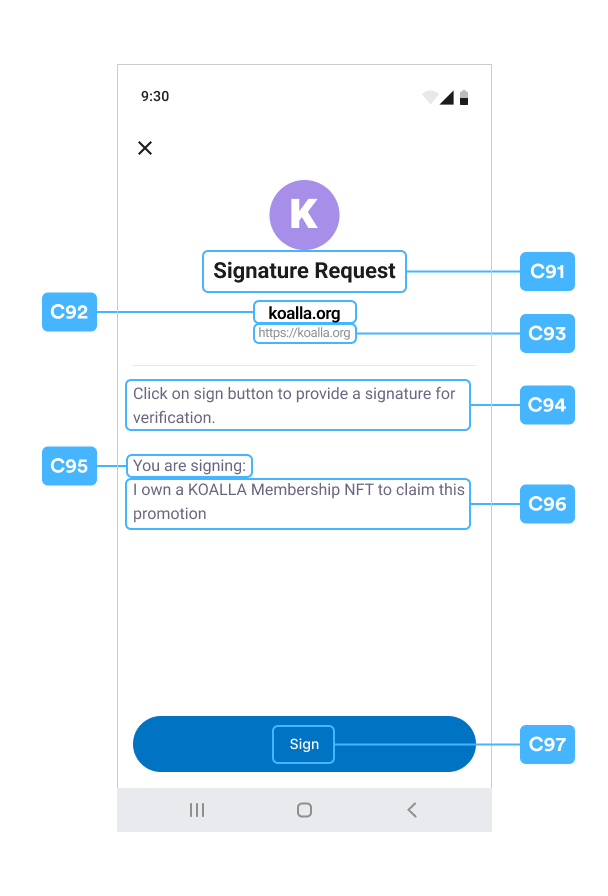
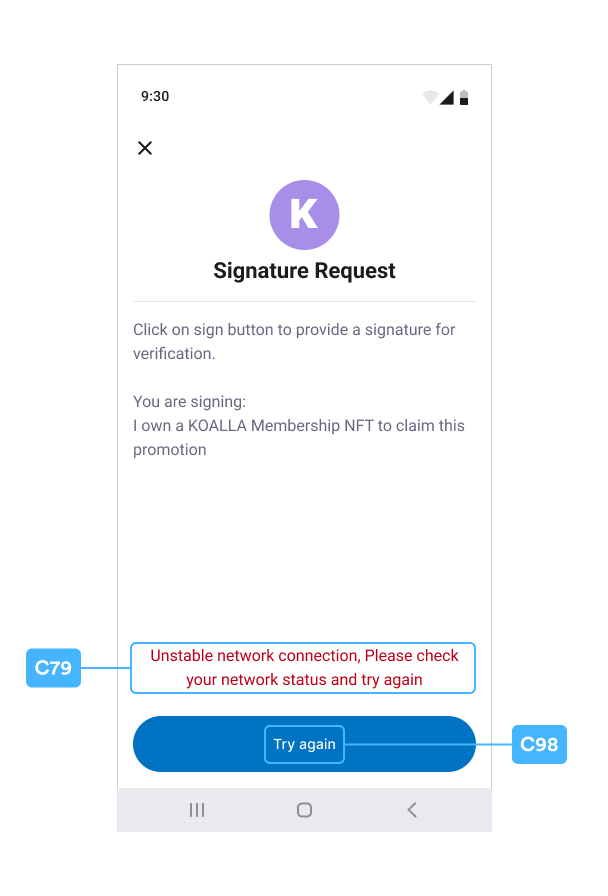
Signature Request
C91~C98
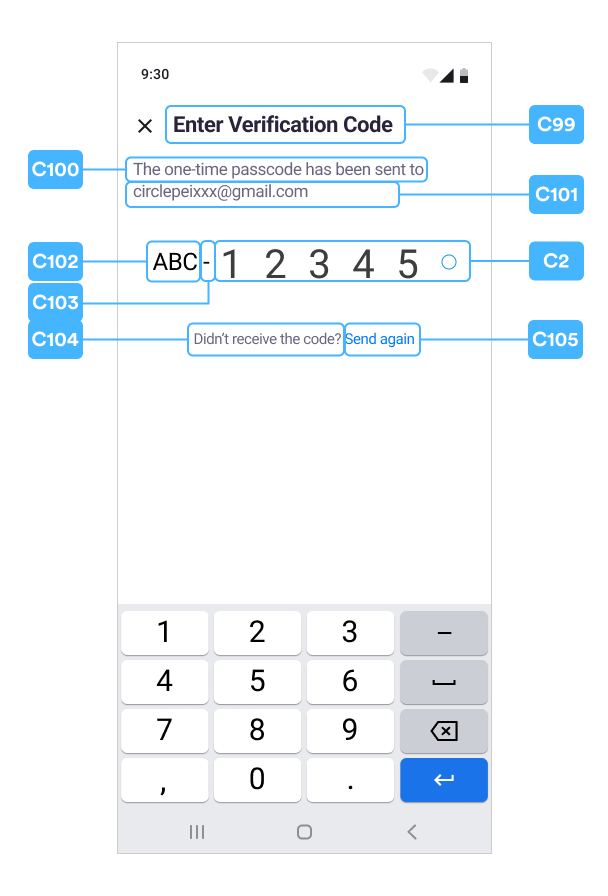
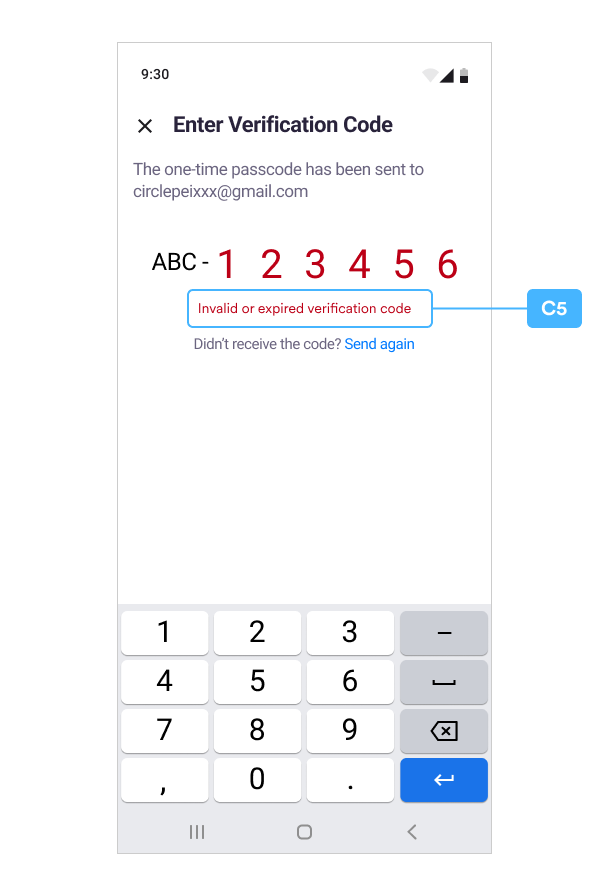
Verify OTP
C99~C105
A Index Table - Resource.TextsKey
B Index Table - Resource.IconTextsKey
Use this Index Table to reference the Dynamic special Icon, Text, Color, and Font Customization. Both the icon image and the text fields are dynamically configured together. UseRemoteImageSetter or LocalImageSetter for icon images:
- RemoteImageSetter constructor:
RemoteImageSetter(int drawableId, String url)
- LocalImageSetter constructor:
LocalImageSetter(int drawableId)
C Index Table - Resource.Key
Note:The
gradientColors field is not supported for the Keys in this table. If you
dynamically set the color as gradientColor, the effect will be ignored and the
WARN level log will be printed.Error Messages
When using this table, reference the ApiError heading in the WalletSDK section of the SDK.Usingstrings.xml for Static Customization
The example values in the strings.xml file below can be used for Static
Customization. The fields also show the default string values in the SDK if you
do not set dynamic customization.
Please reference this example and add/update any desired text string in your
strings.xml under the res/values folder.
To avoid dynamic customization, return a TextConfig that doesn’t contain text or
null in getTextConfig(String key) and getTextConfigs(Resource.TextsKey
key) function. For example, a configuration that doesn’t have
new TextConfig(null, color, typeface), return null, or
super.getTextConfig(key) in its switch statement.
XML
Image Customization
The SDK uses glide as the image loader for remote images. For the cache strategy, please see DiskCacheStrategy.AUTOMATIC. UseRemoteImageSetter or LocalImageSetter for icon images:
- RemoteImageSetter constructor:
RemoteImageSetter(int drawableId, String url)
- LocalImageSetter constructor:
LocalImageSetter(int drawableId)
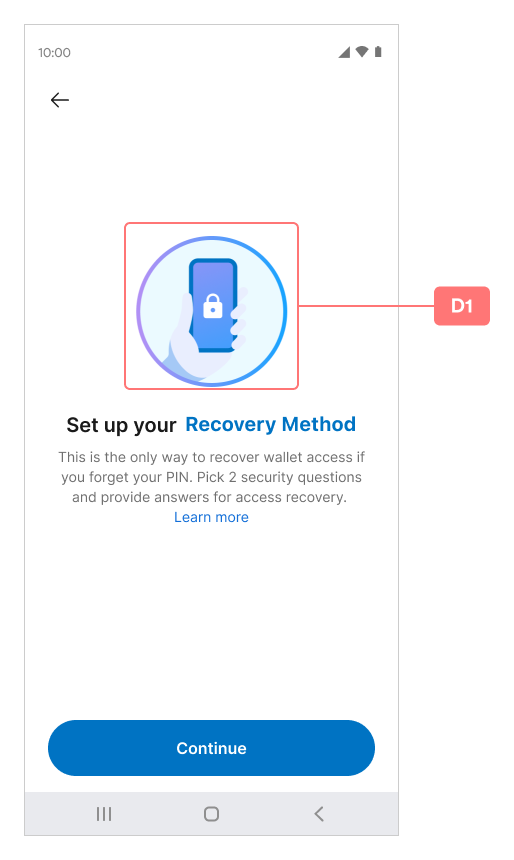
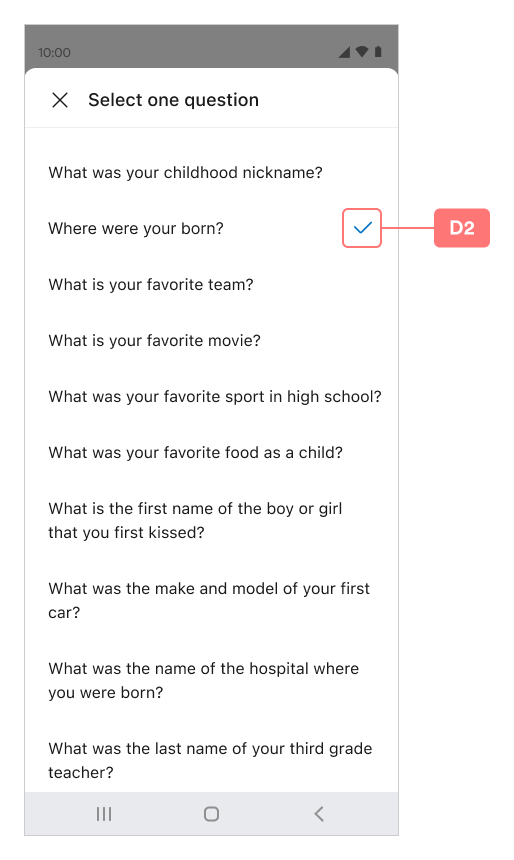
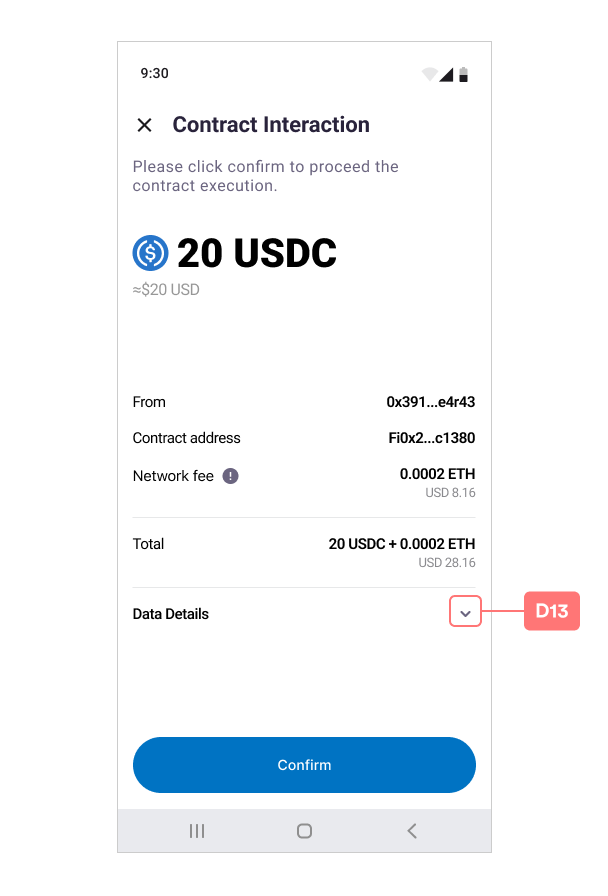
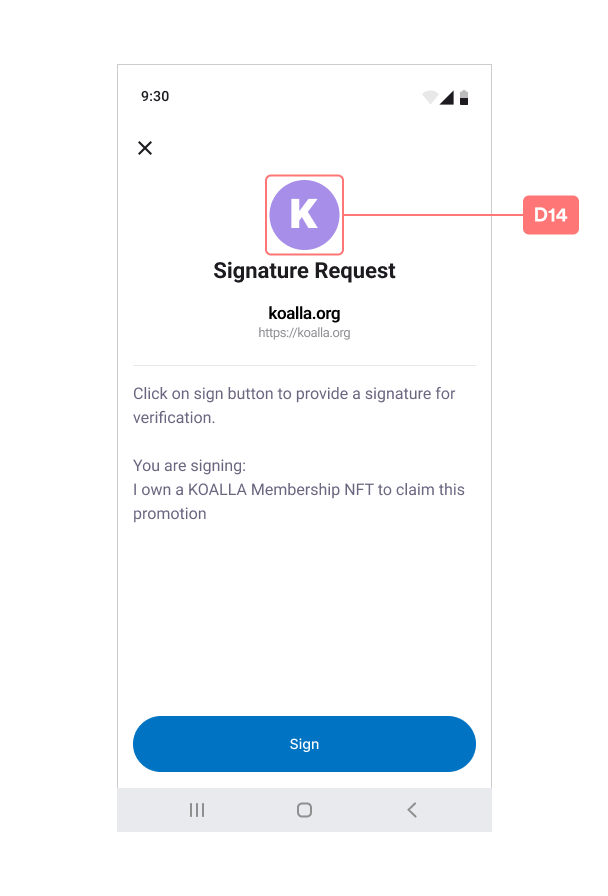
Resource.Icon
D1~D14
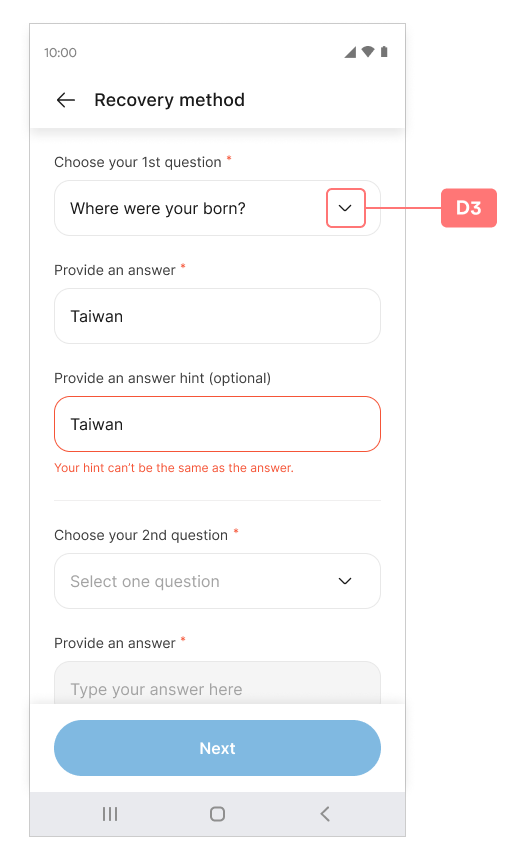
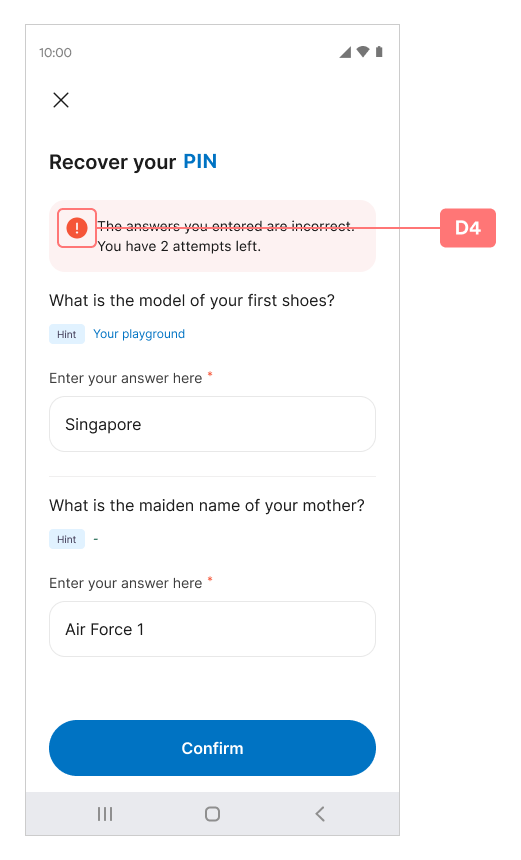
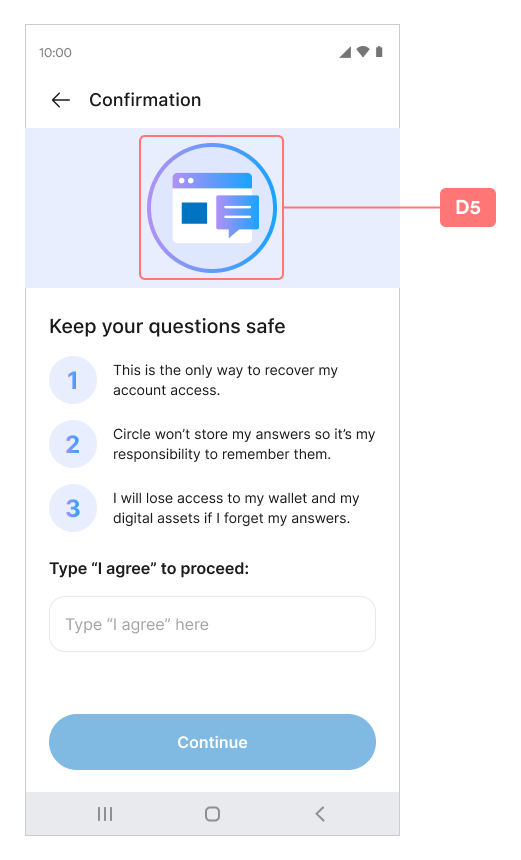
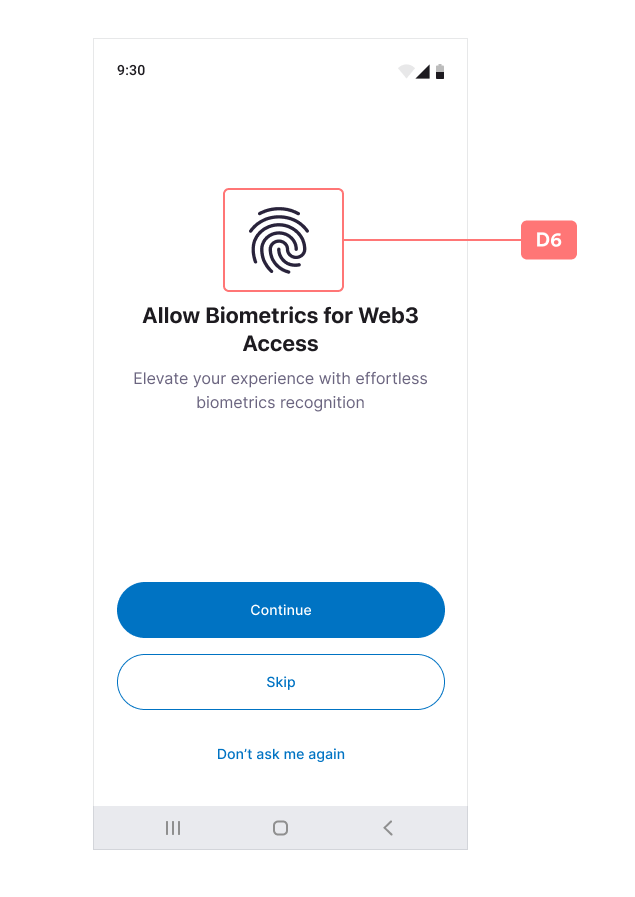
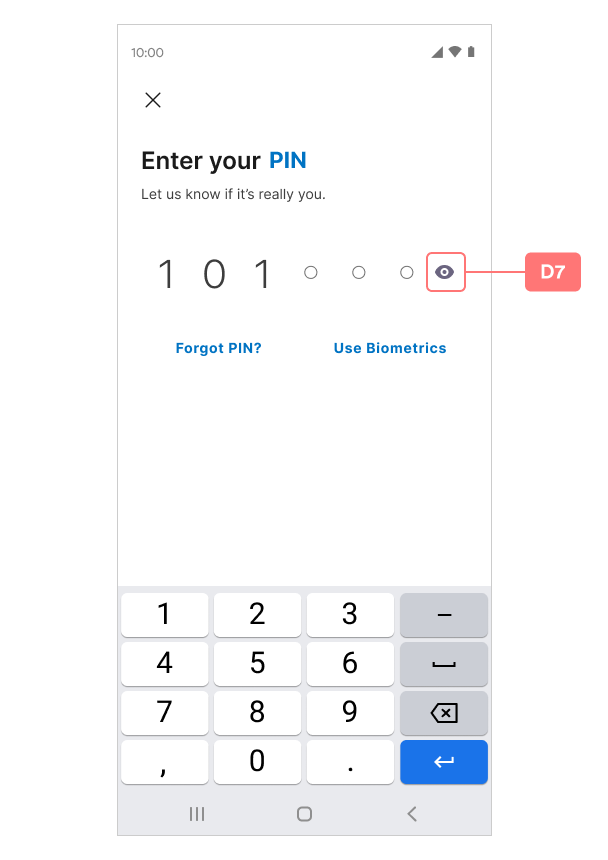
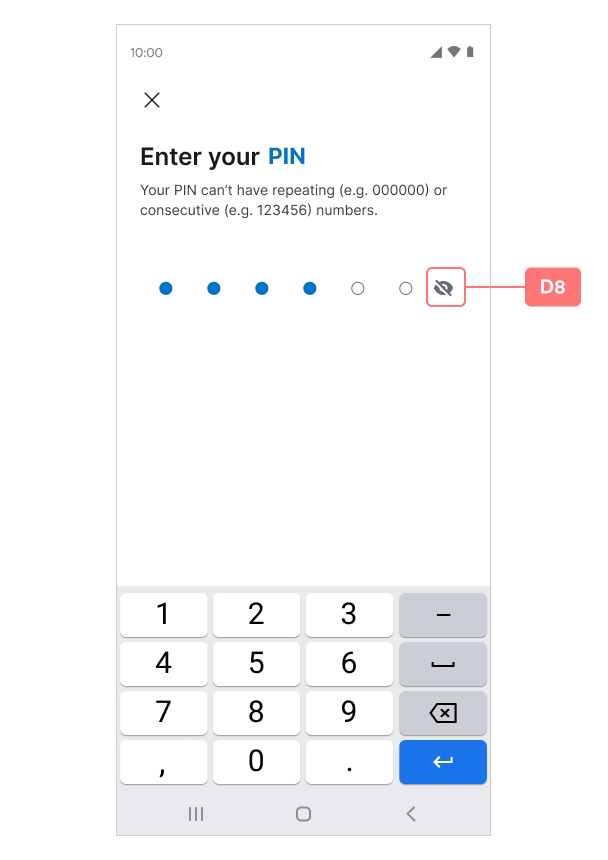
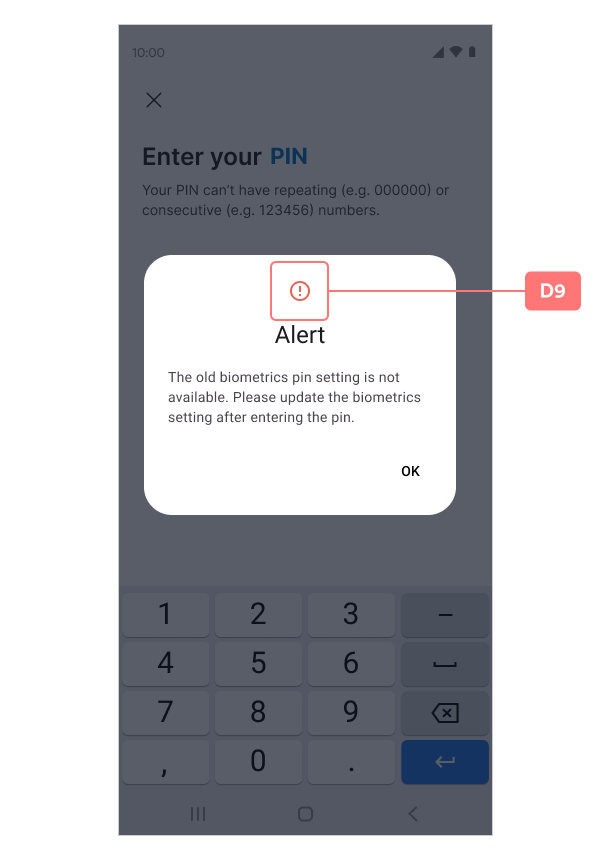
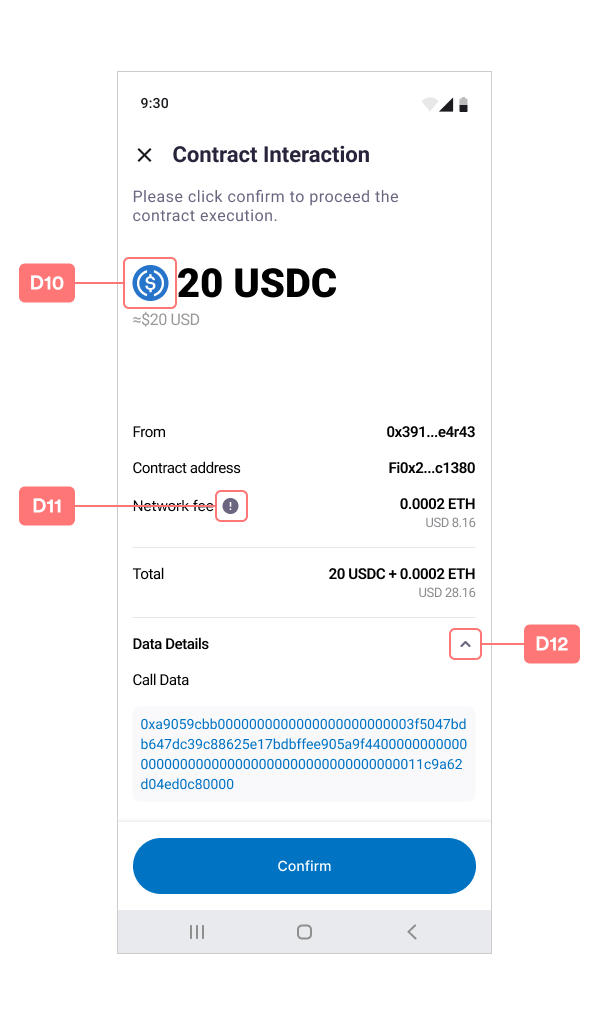
D Index Table
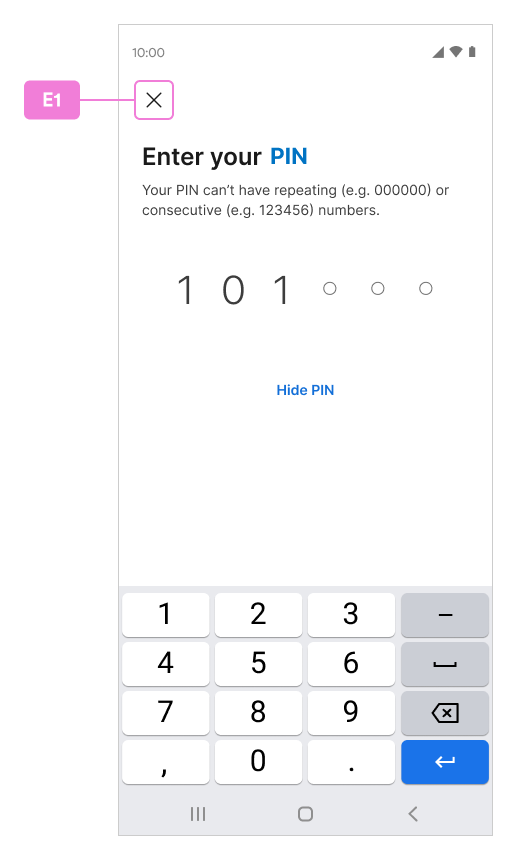
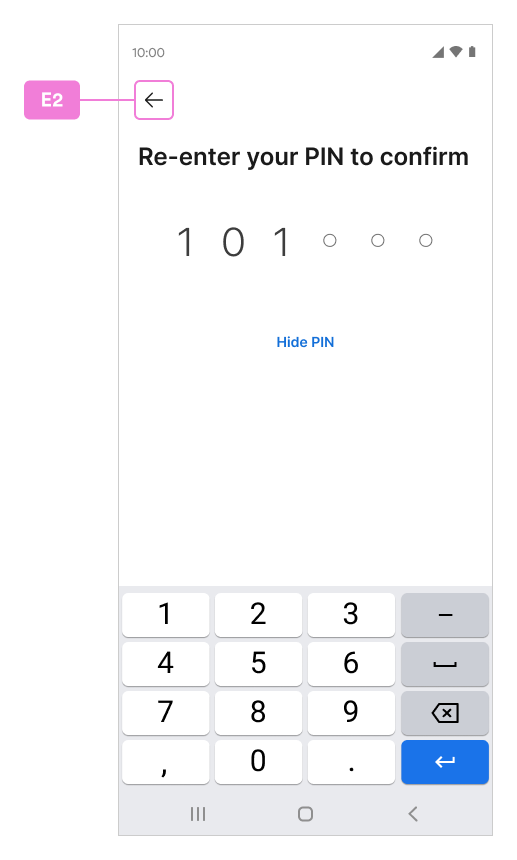
Resource.ToolbarIcon
E Index Table
Color Customization
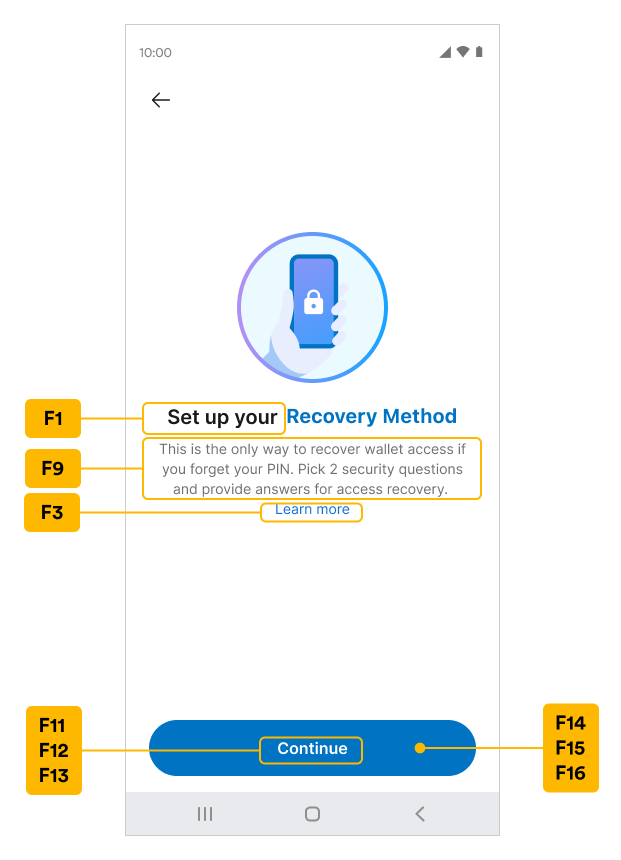
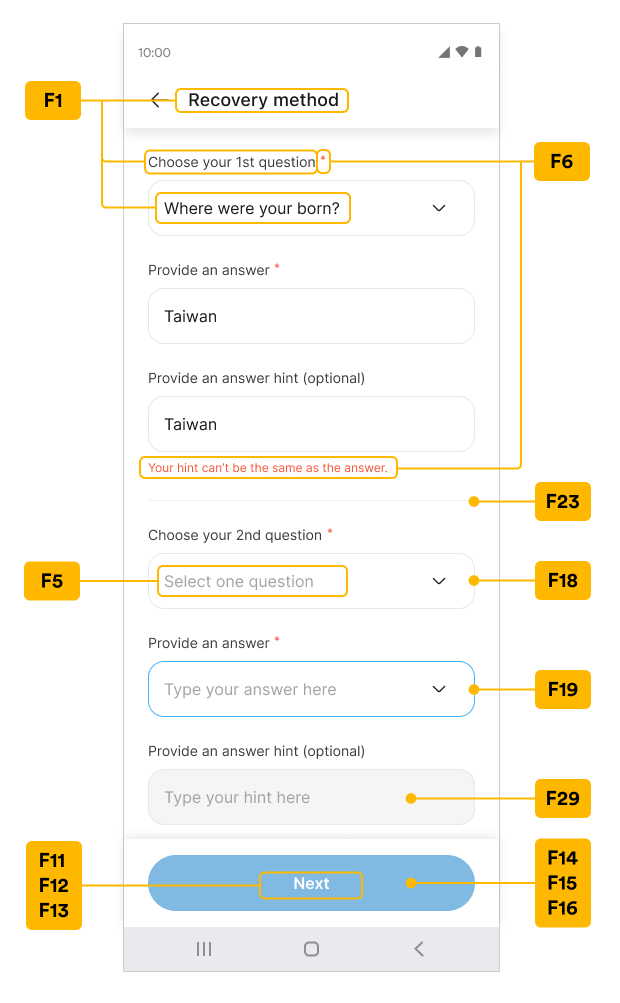
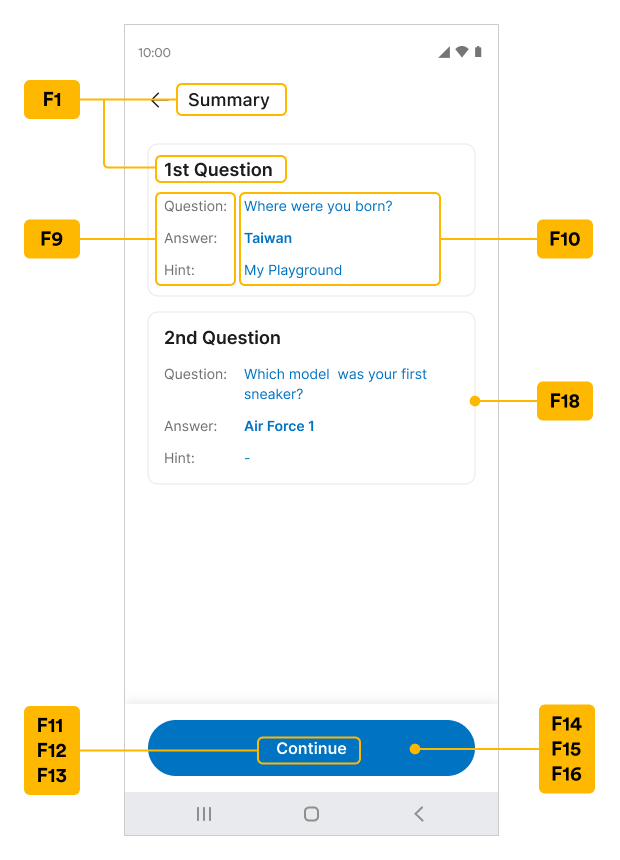
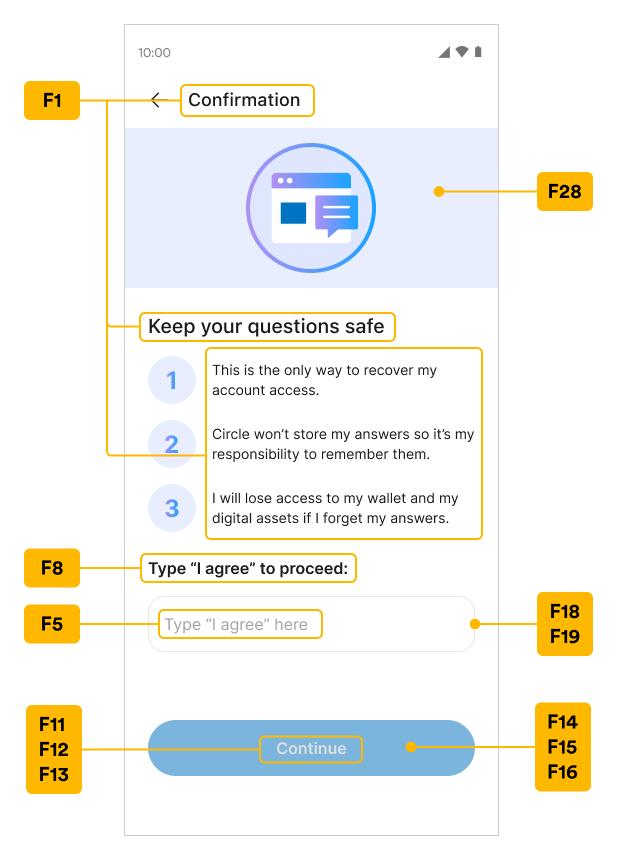
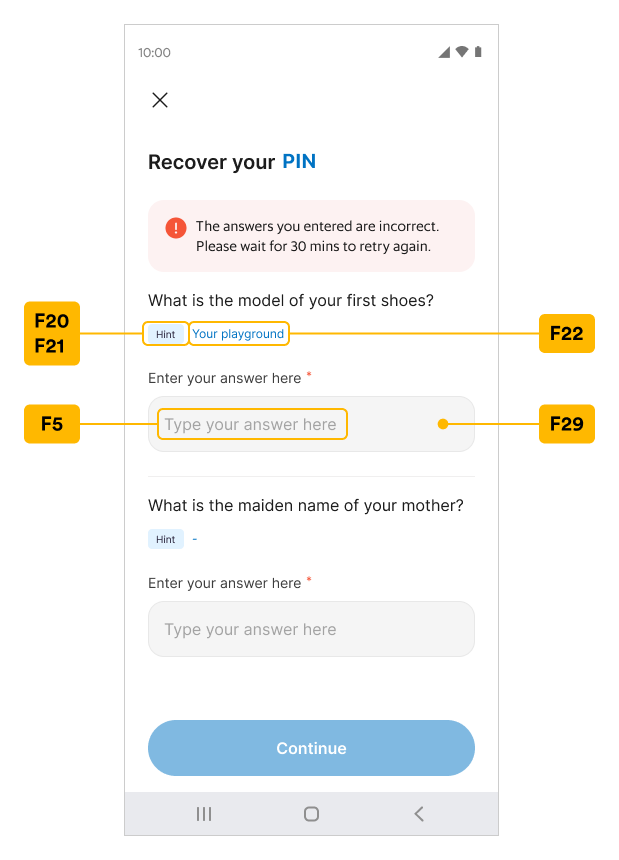
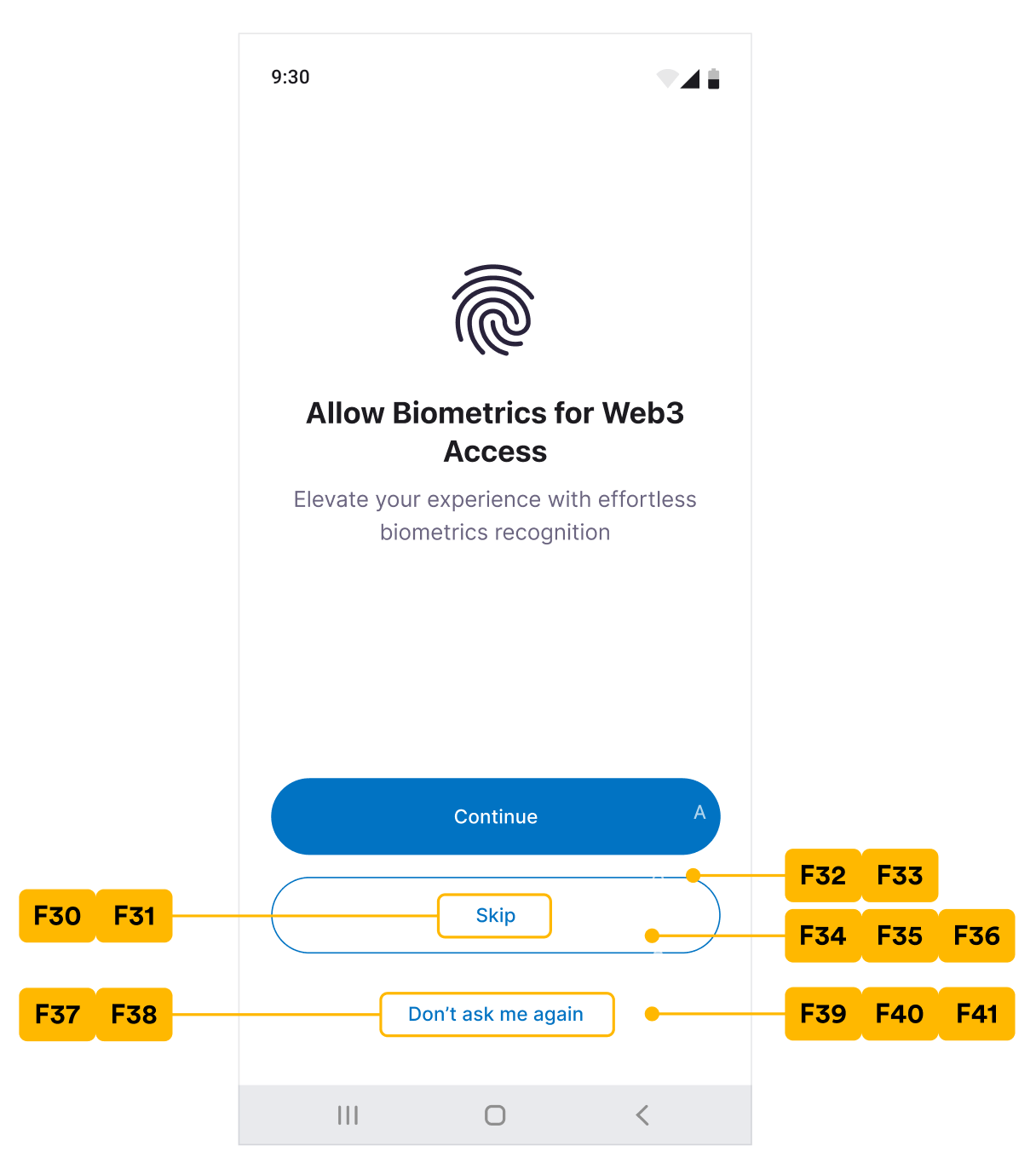
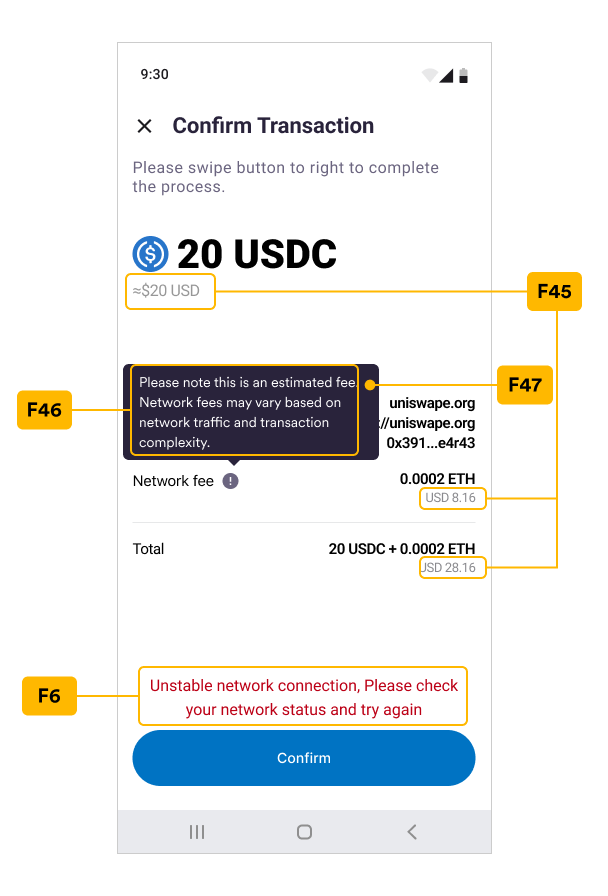
Colors can be customized in a Static way as a static string; with the UI screenshots and Key mapping index table below, the colors of each string can be defined in the colors.xml.Note that some keys are not specified in the screenshot but can be referenced from the A and C index table in the colors.xml column.New, Confirm, and Enter PIN Code
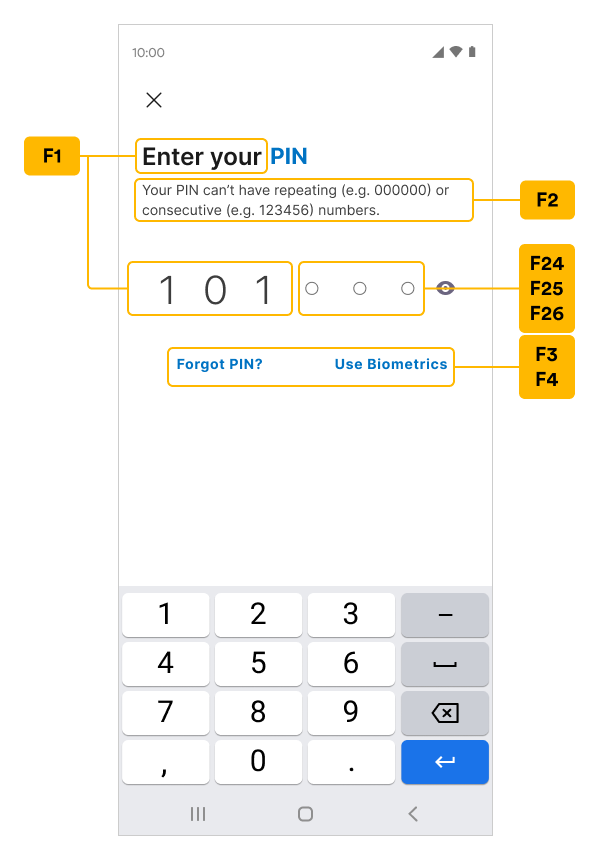
Security Intro
Security Questions
Security Summary
Security Confirm
Recover PIN Code
Biometrics Setup
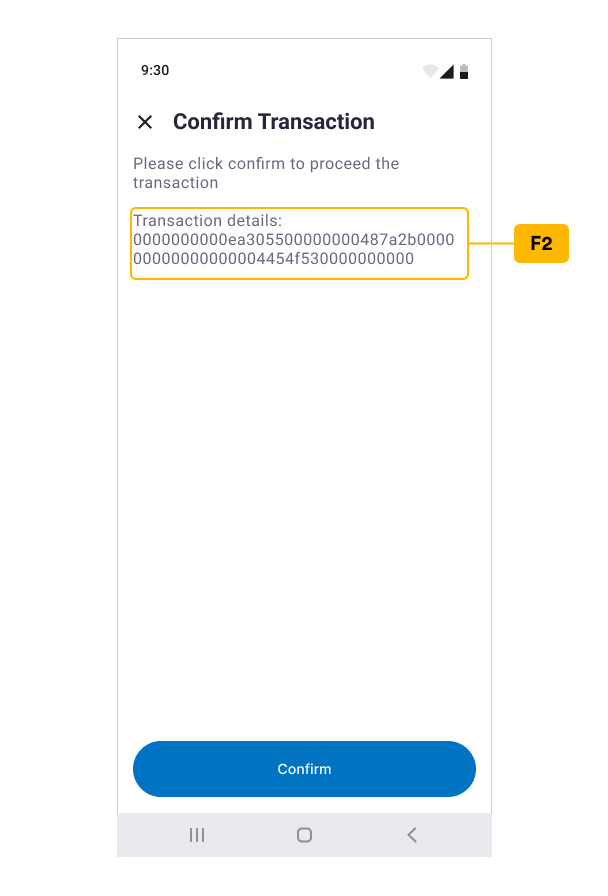
Confirm Transaction
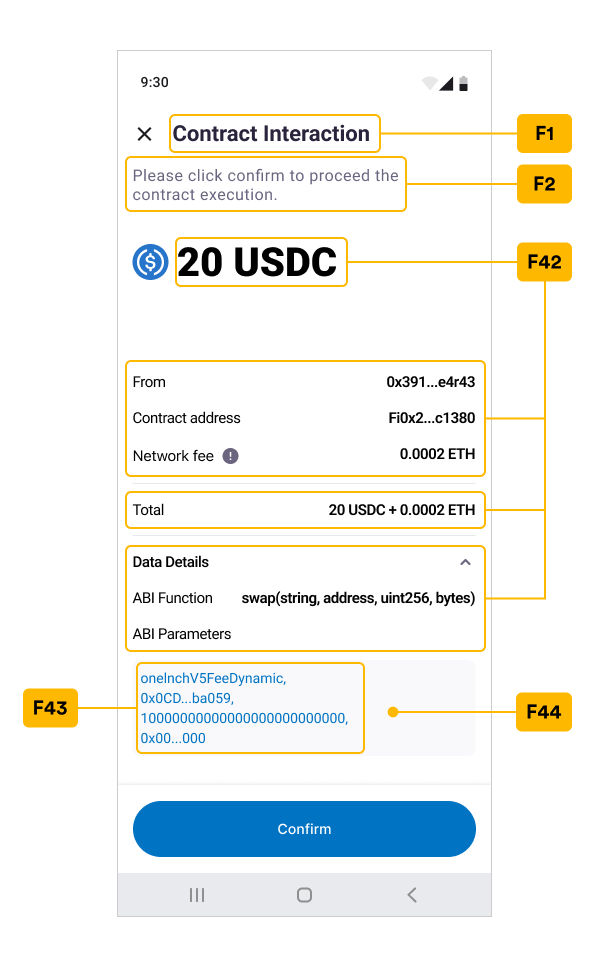
Contract Interaction
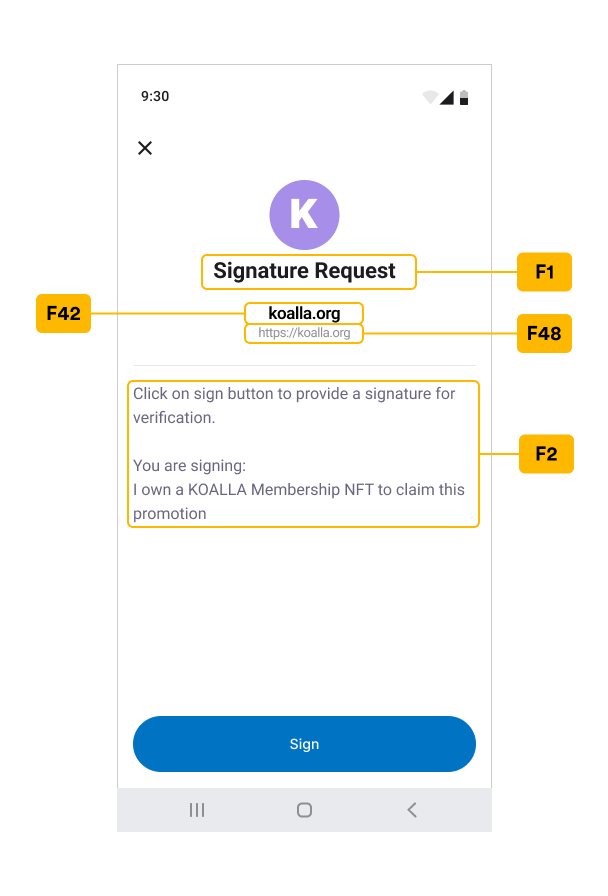
Signature Request
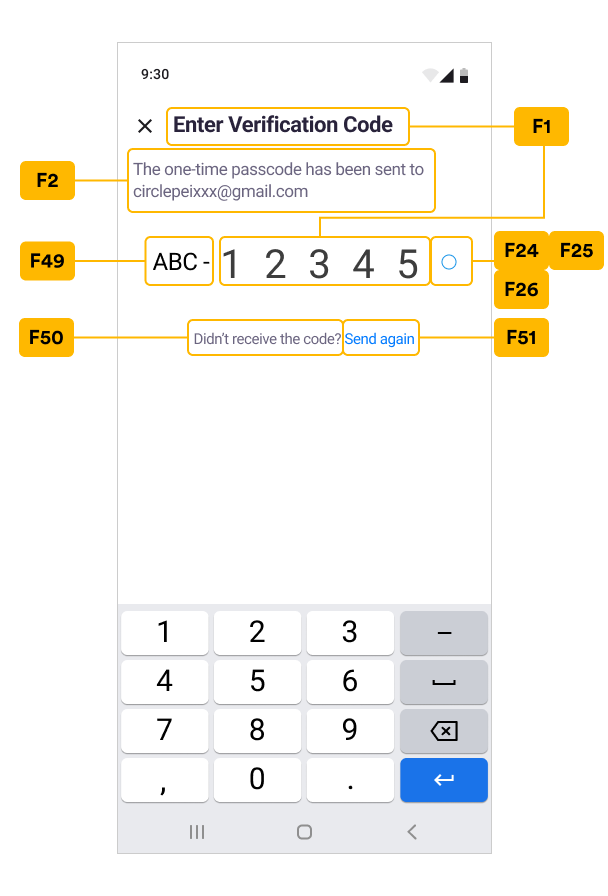
Verify Email OTP
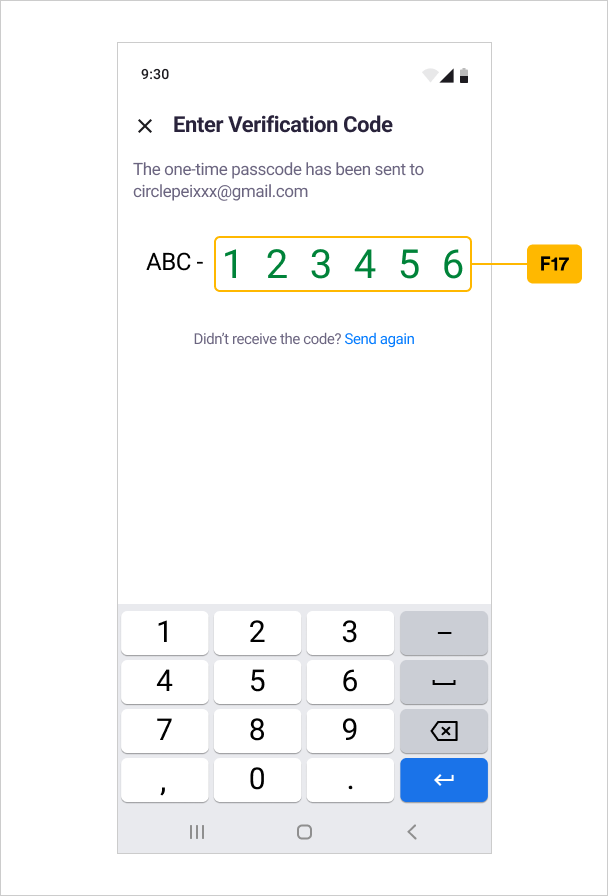
F Index Table
Using colors.xml for Static Customization
The example values in the colors.xml file can be used for Static
Customization. The fields also show the default string values in the SDK if you
do not set dynamic customization.
Please reference this example and add/update any desired text color in your
colors.xml under the res/values folder of the App project.
To avoid dynamic customization, return a TextConfig that contains text only with
no color value in the getTextConfig(String key) and
getTextConfigs(Resource.TextsKey key) functions. For example, use a
configuration with new TextConfig(key, 0, typeface), return null, or
super.getTextConfig(key) in its switch statement.
XML
Style Customization
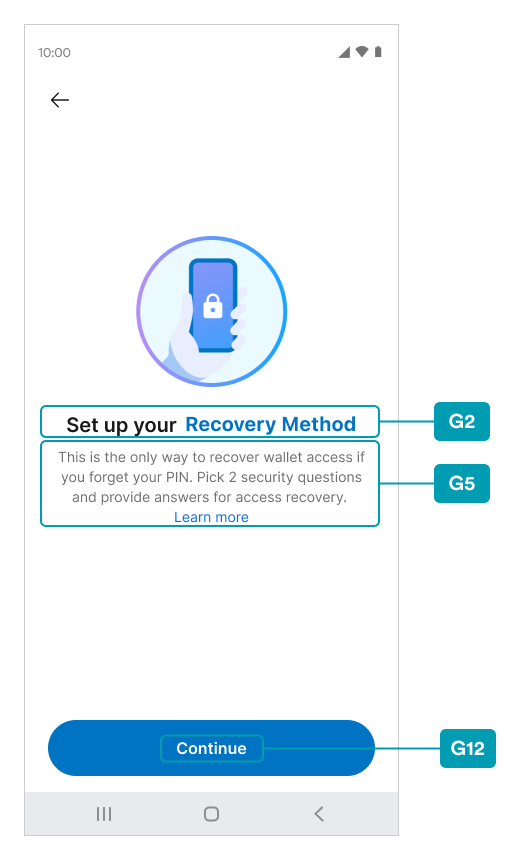
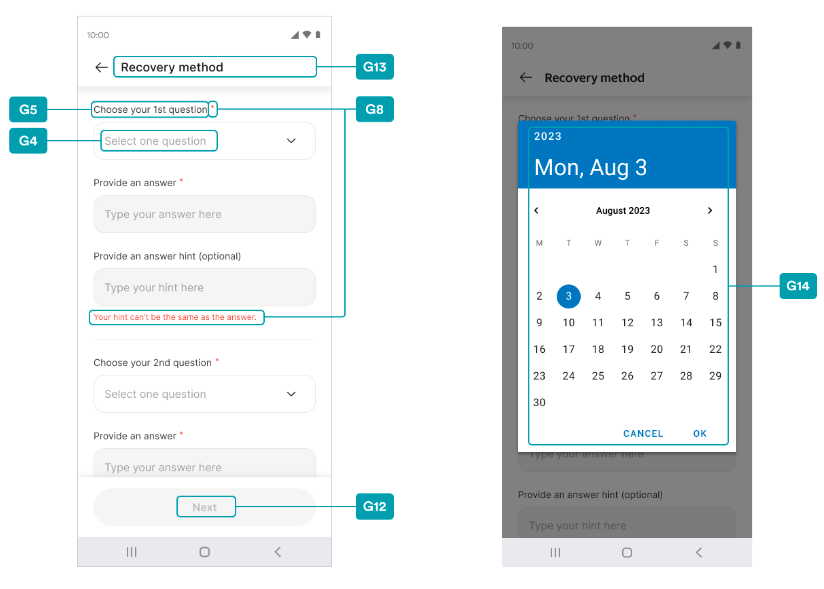
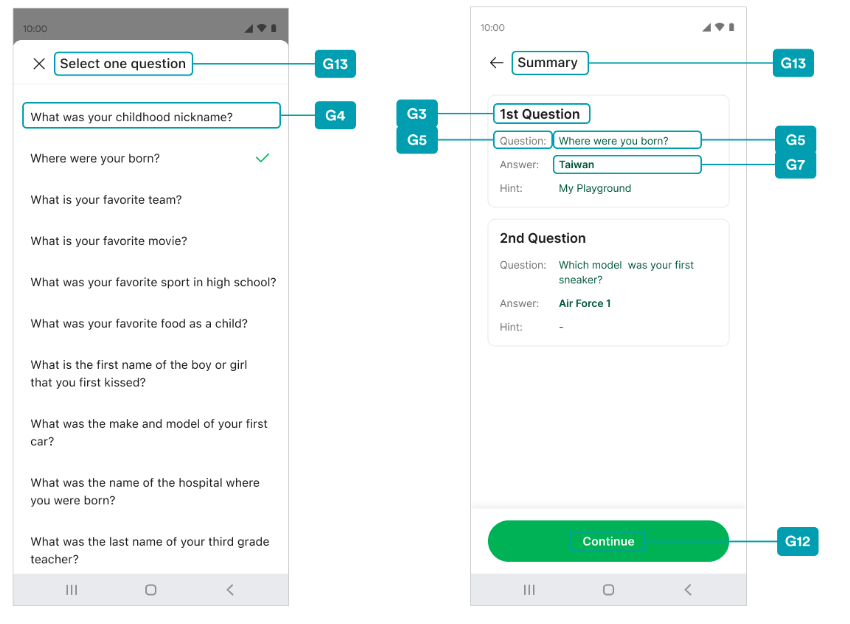
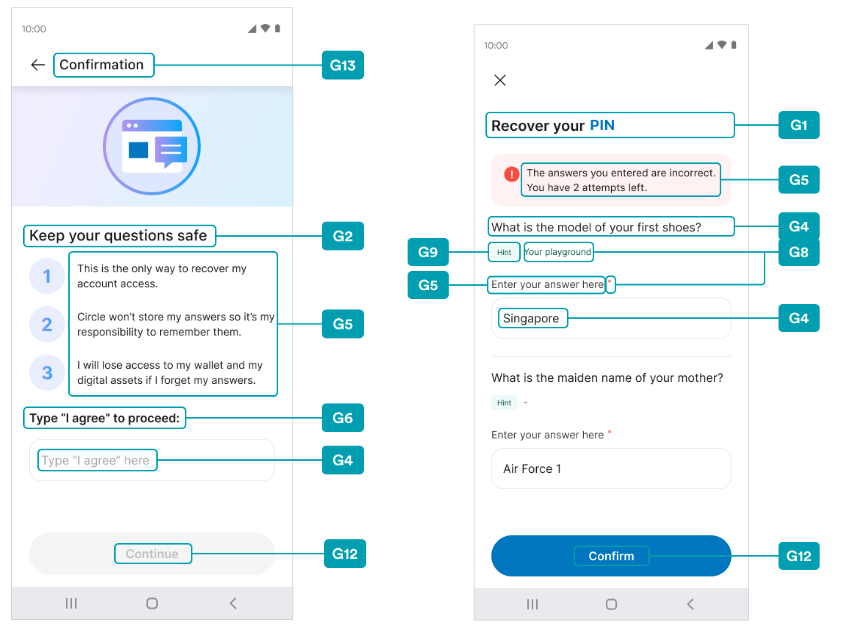
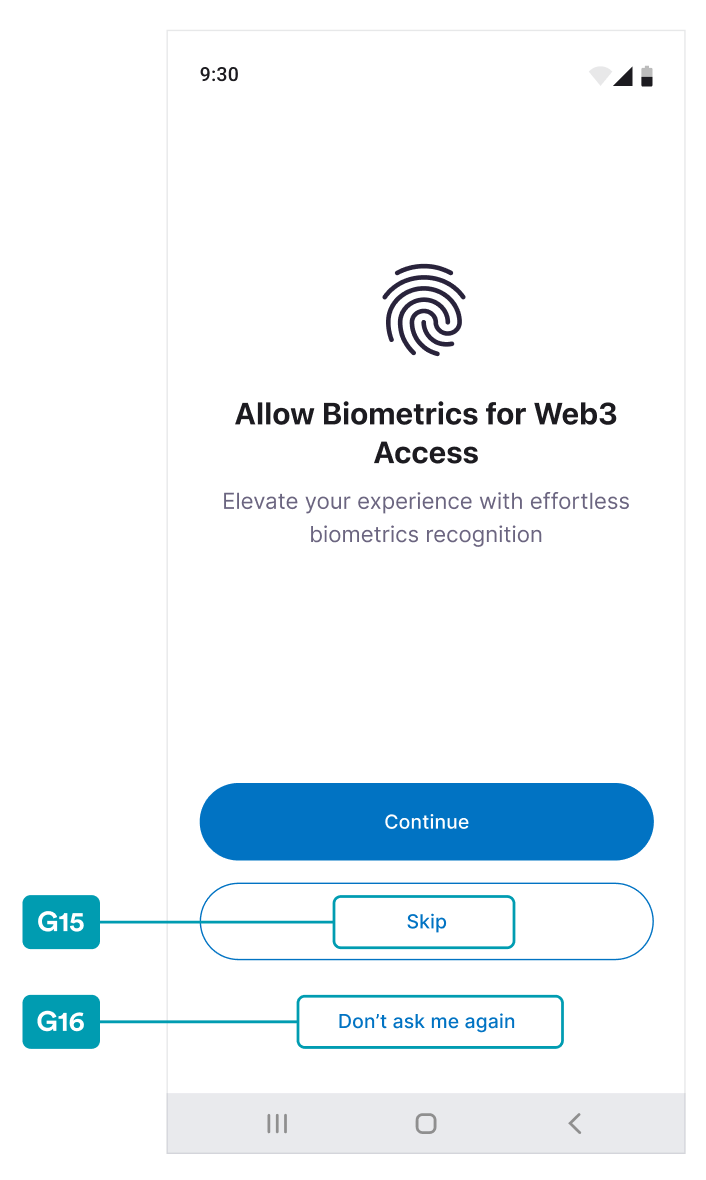
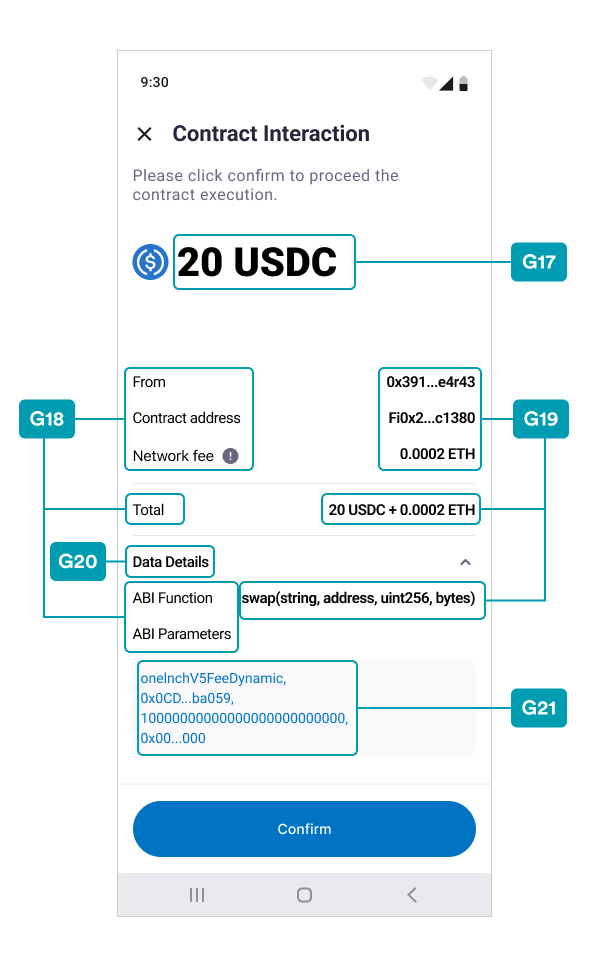
Styles can be customized in a Static way as a static style by using the UI screenshots and Key mapping index table below. The styles of each string can be defined in thestyles.xml file.
To avoid dynamic customization, return TextConfig that contains text only in
getTextConfig(String key) and getTextConfigs(Resource.TextsKey key)
functions. For example, use new TextConfig(“Your text here”) or
super.getTextConfig(key) to ignore that key in the switch statement.
Note:Some keys (error message) are not specified in the screenshot but can be
referenced from the A and C index table at the
styles.xmlfile column.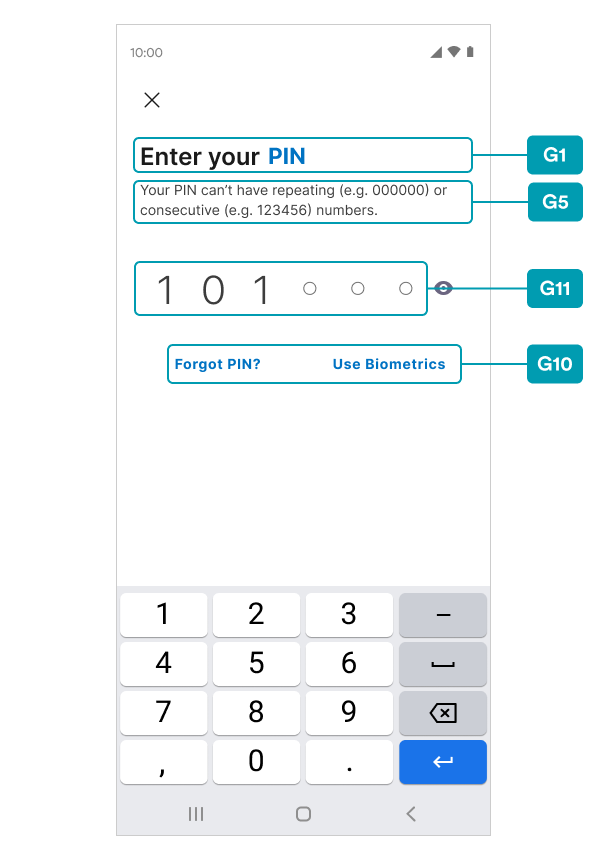
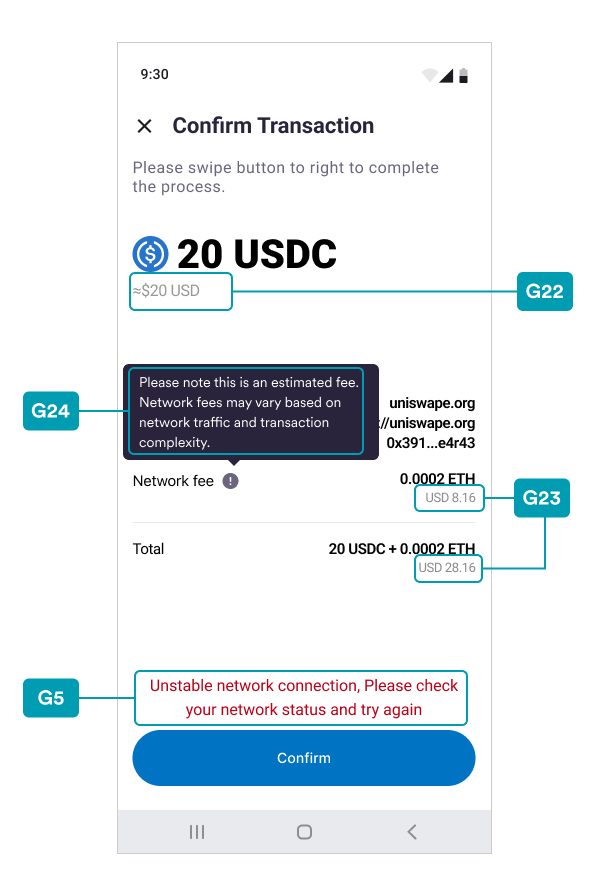
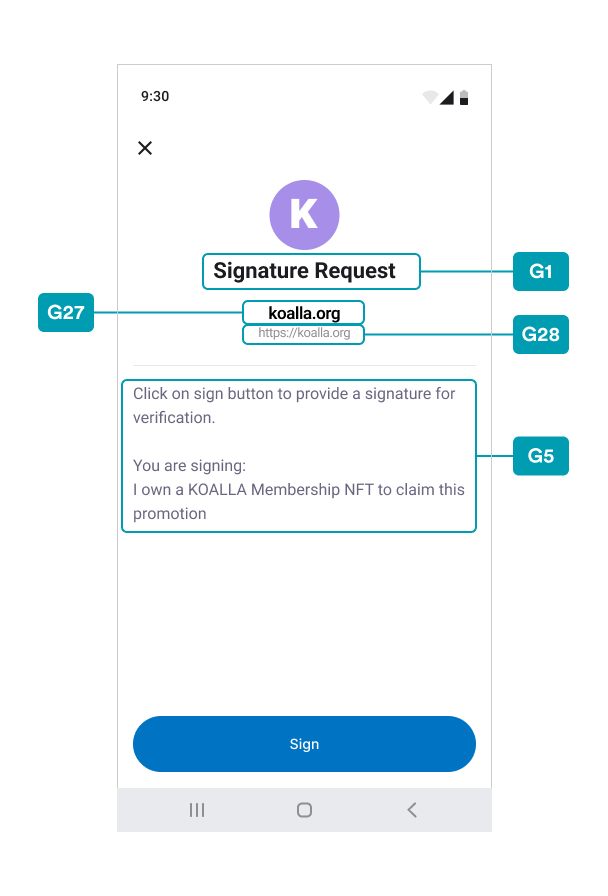
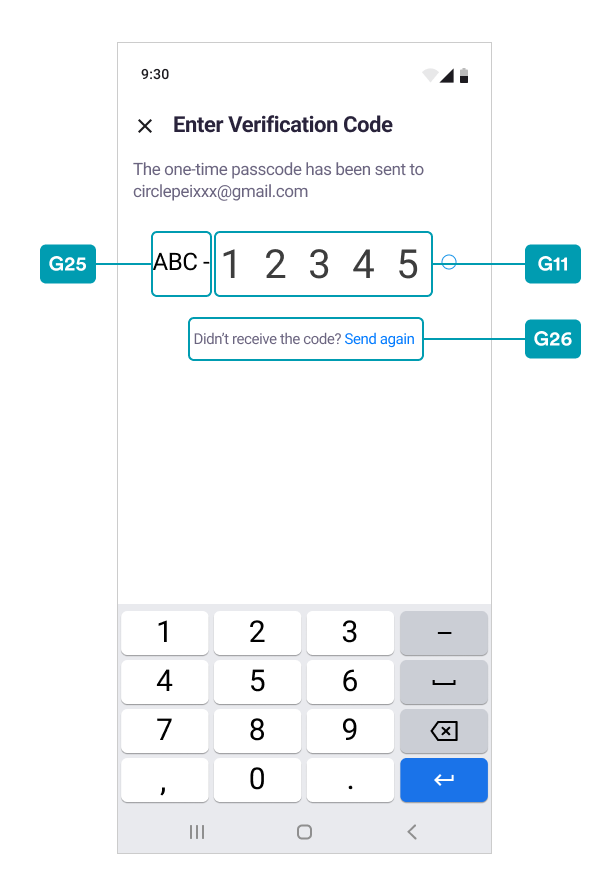
G Index Table
Using the styles.xml file for Static Customization
The example values in the styles.xml file can be used for Static
Customization. The fields also show the default style values in the SDK if you
do not set dynamic customization.
Please reference this example and add or update any desired text styles in your
styles.xml file under the res/values folder of the App project.
The style can be used to define textSize and fontWeight, and it can also
be used in conjunction with the static colors key defined in colors.xml, such as
in the following:
XML
XML